DVW Series Industrial IEEE 802.11 a/b/g/n Wireless AP/WDS/Client/Gateway User Manual
3-42
Notice:
The client mode LED and the status LED will be ON when the device is in the client mode.
The RF type and the channel will be grayed out in the client mode. After mapping, the RF type, channel,
and security mode will be synchronized with the settings of the AP end.
Before connecting the wireless device to the DVW series in the Client mode, please check if the network
environment is with the DHCP-Server. If not, please set the IP configurations of the DVW series to
DHCP-Server or manually set the IP address of the wireless device to the same network segment of the
DVW series. Otherwise, DVW series may not be able to connect to the wireless device.
While setting the device to the client mode, it is suggested to use Delta DVW series for both AP end and
the client end to minimize compatibility issues and ensure best performance.
3.4.2.3 Basic Wireless Configuration – Repeater Mode
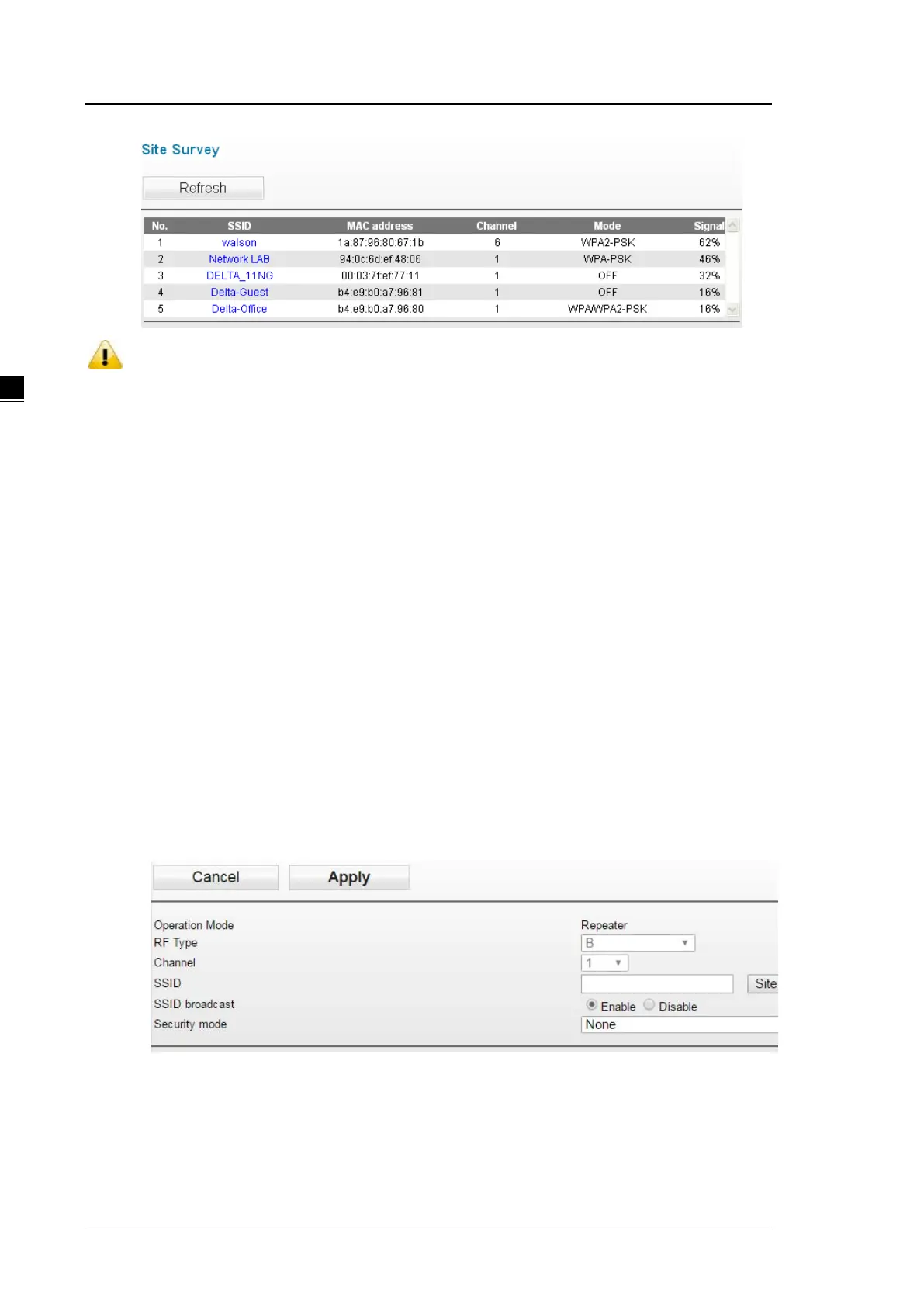
If you configure the Operation Mode to Repeater Mode, the Site Survey button will be shown on the Basic
Wireless Configuration page. Click the “Site Survey” button and then a “Wireless Site Survey Table” will appear.
It will list all available access points nearby. Select one access point in the table for the DVW series to connect.
This allows two physically isolated networks to communicate with each other.
If you configure the Wireless to Disable, the Site Survey button will be grayed out.



 To Next Page