DVW Series Industrial IEEE 802.11 a/b/g/n Wireless AP/WDS/Client/Gateway User Manual
3-44
Description Factory Default
Select the specific security (not the same as the security mode of
the AP end); selections are: None, WEP, W PA-PSK[TKIP],
WPA2-PSK[AES], and WPA-PSK[TKIP]+WPA2-PSK[AES
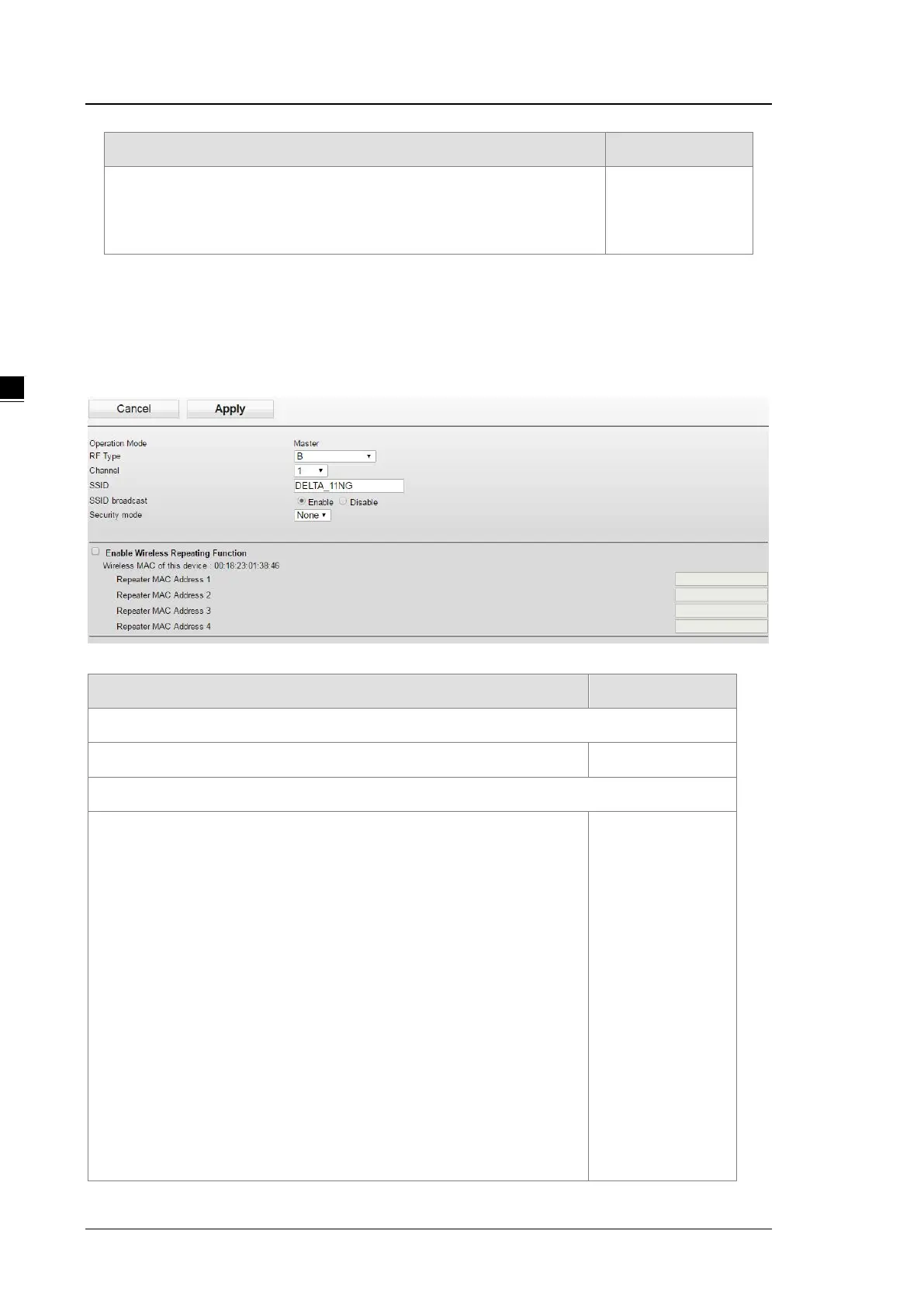
3.4.2.4 Basic Wireless Configuration – Master Mode
If you configure the Operation Mode to Master Mode, select the “Enable Wireless Repeater Function” and input
the MAC address 1~4 and then click apply.
Description Factory Default
Operation Mode
Display the current operation mode. Master mode
RF Type
2.4GHz
B: only support IEEE 802.11b mode
G: only support IEEE 802.11g mode
B/G Mixed: support IEEE 802.11b/g mixed mode
G/N Mixed: support IEEE 802.11g/n mixed mode, but not IEEE 802.11b
mode
B/G/N Mixed: support IEEE 802.11b/g/n mixed mode
N Only (2.4GHz): only support IEEE 802.11n mode
5GHz
A : only support IEEE 802.11a mode
A/N Mixed: IEEE 802.11a/n mixed mode
N Only (5GHz): only support IEEE 802.11n mode
None



 To Next Page