DVW Series Industrial IEEE 802.11 a/b/g/n Wireless AP/WDS/Client/Gateway User Manual
3-48
Description Factory Default
WEP
Wireless MAC of this device
Display the MAC address of the DVW series MAC address of the
DVW series
Repeater IP address
Input the repeater IP address (different from the Master mode’s IP address) 192.168.1._
Base Station MAC Address
Enter the MAC address of base station. None
3.4.2.6 Basic Wireless Configuration – Security Mode
Wireless Security Settings
DVW series provides four standard security modes: None, WEP, WPA, and WPA2. You also can specify
personal or enterprise version of WPA/WPA2 according to your requirement.
None
Any client can connect to DVW series without any security if you don’t specify wireless security on DVW. So we
suggest you do not set security mode to None.
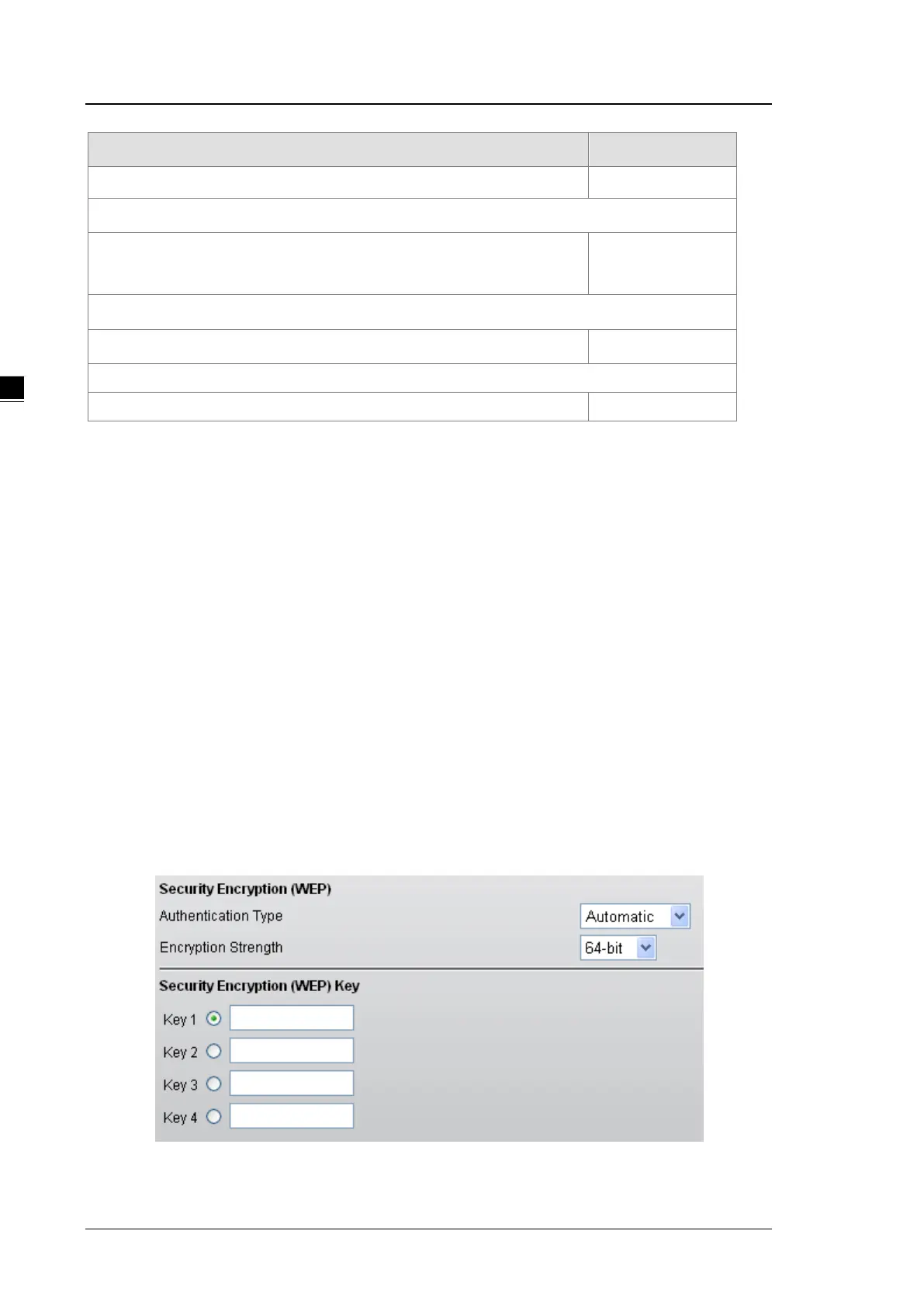
WEP
There are 2 types of Encryption Strength, 64bits and 128 bits, are provided. When stronger encryption strength
is selected, the performance of wireless transmission will be affected. And there are 2 formats, ASCII and HEX,
for coding in the WEP. When ASCII is selected, this format allows you to use numbers and alphabets in coding.
However, while HEX is selected, this format only allows you to use number 0~9 and alphabets A~E.



 To Next Page