DVW Series Industrial IEEE 802.11 a/b/g/n Wireless AP/WDS/Client/Gateway User Manual
3-54
Description Factory Default
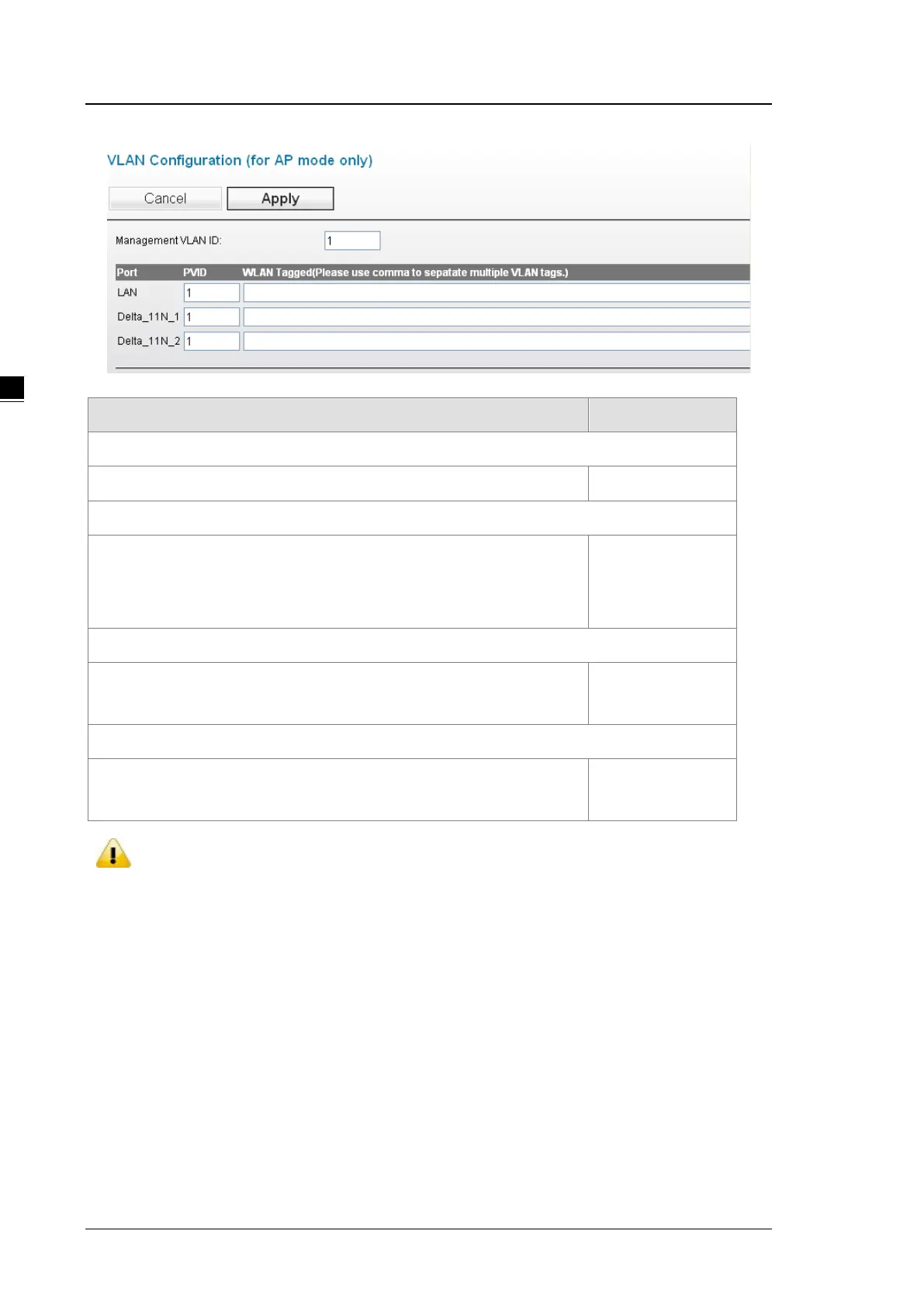
Management VLAN ID
Specify the management VLAN ID. 1
Port
LAN: Display the LAN port number.
WLAN: The wireless port for the specific SSID. The number of wireless
port depends on how many SSIDs you created.
LAN: 1
PVID
Specify the port’s VLAN ID. PVID is set for the device which connect with this
port
1
WLAN Tagged
Specify which VLANs can communicate with this specific VLAN. The VLAN ID
range from 1 to 4094.
None
Notice:
When the settings of PVID and VLAN ID are the same, VLAN members of the PVID can
manage the AP of the VLAN ID.
After the settings are done, connecting to the VLAN SSID would require a specific IP
address or have a DHCP server to do the transmission.
3.5.2 Packet Control
DVW can filter IP-based packets through LAN and WLAN interface by 3 kinds of filters: MAC filters, IP Protocol
filters and TCP/UDP port filters. These filters can enhance the network security and performance.



 To Next Page