Chapter 3 Featured Function
3-23
3.3.1.5 Virtual COM Mode
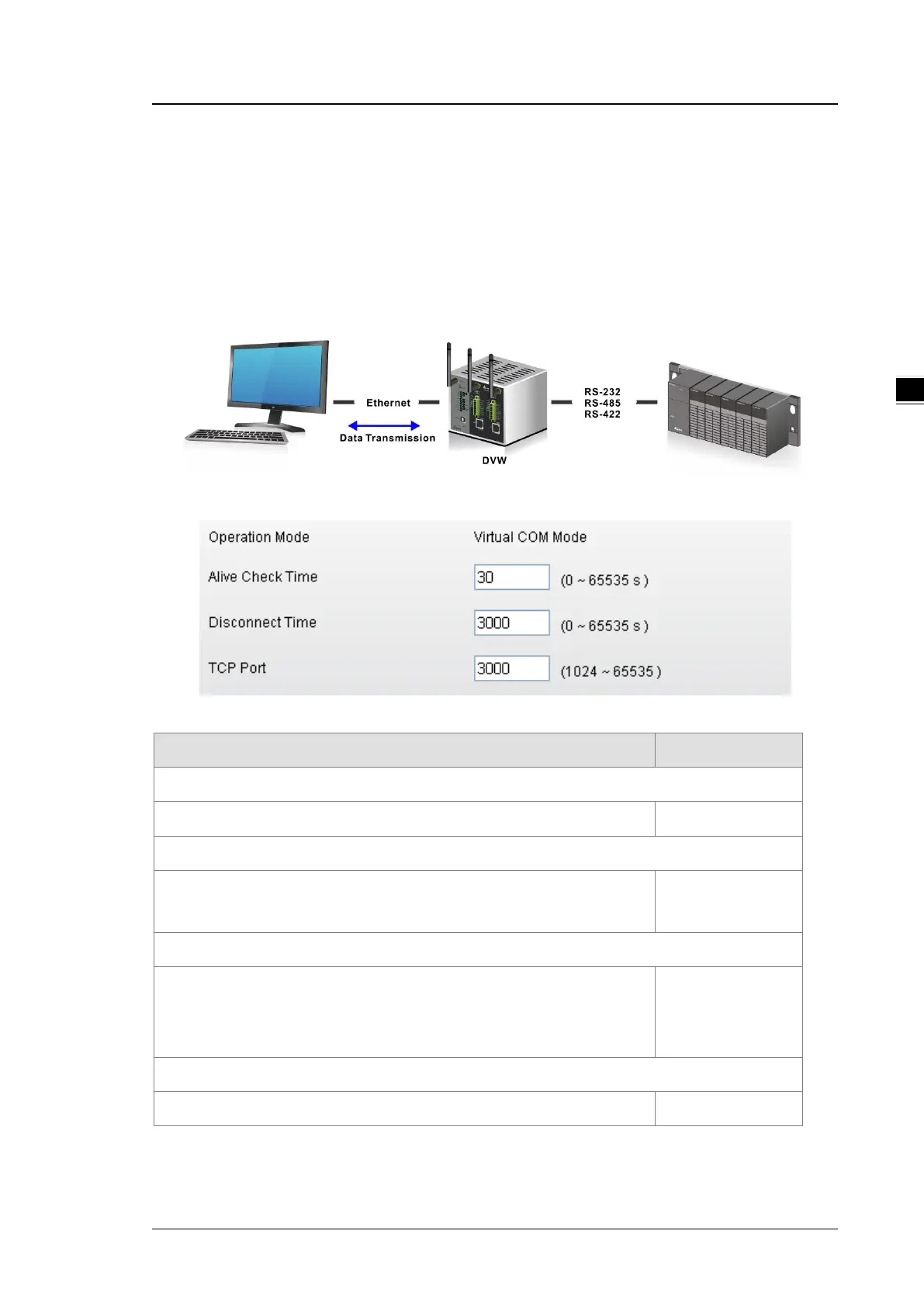
In Virtual COM mode, DVW series can establish a network connection between the host computer and serial
device. So the DVW series maps the IP address with port number to the serial port on itself. When the
application on host computer doesn’t provide serial interface to connect with serial device, then Virtual COM
mode can solve this problem and establish a Virtual COM connection on Ethernet interface.
Description Factory Default
Operation Mode
Display the operation mode of serial port. Virtual COM Mode
Alive Check Time
Specify how long the DVW series sends a packet for checking the connection
still alive.
30
Disconnect Time
Specify how long the DVW series keeps the TCP session when there is no
TCP activity in specified time. If the time is “0”, then the connection will remain
open.
3000
TCP Port
Specify the port number of DVW series. 3000



 To Next Page