DVW Series Industrial IEEE 802.11 a/b/g/n Wireless AP/WDS/Client/Gateway User Manual
3-46
Description Factory Default
Wireless MAC of this device
Display the MAC address of the DVW series
Repeater MAC Address 1~4
Up to 4 repeater MAC addresses of the devices in the slave mode can be set.
00:1B:2F:0D:AA:B0 或 001B2F0DAAB0
None
Notice:
Once the master end is disconnected, the connected slave end will also be
disconnected.
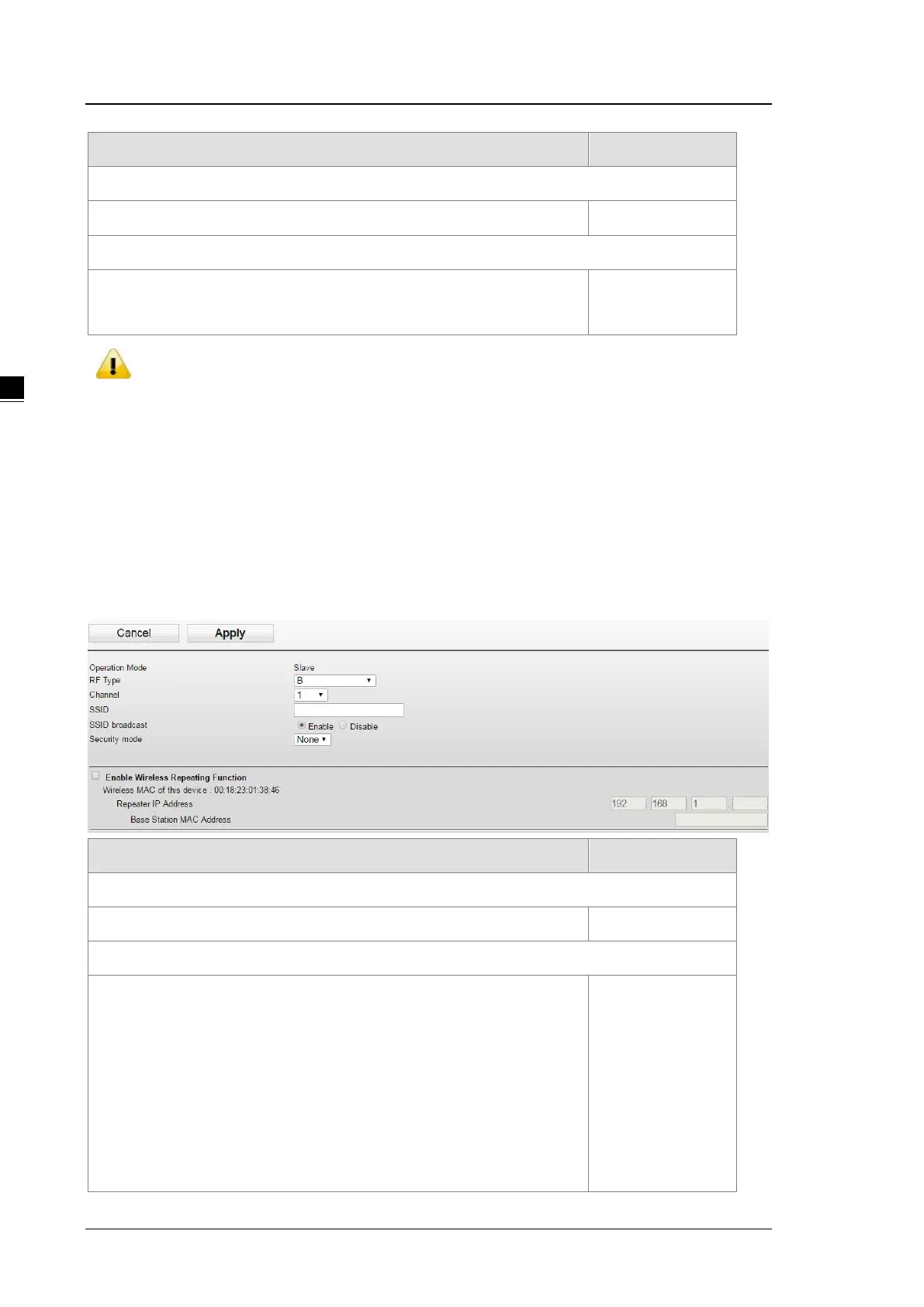
3.4.2.5 Basic Wireless Configuration – Slave Mode
If you configure the Operation Mode to Slave Mode, you will need to set the options of RF type, channel, and
SSID to be the same as the settings of the Master mode and select the “Enable Wireless Repeater Function”.
After that input the IP address (different from the Master mode’s IP address) and input the MAC address of the
Master end and then click apply.
Description Factory Default
Operation Mode
Display the current operation mode. Slave mode
RF Type
2.4GHz
B: only support IEEE 802.11b mode
G: only support IEEE 802.11g mode
B/G Mixed: support IEEE 802.11b/g mixed mode
G/N Mixed: support IEEE 802.11g/n mixed mode, but not IEEE 802.11b
mode
B/G/N Mixed: support IEEE 802.11b/g/n mixed mode
None



 To Next Page