Chapter 3 Featured Function
3-63
Description Factory Default
Pork link 1 / 2 (ON→OFF) or (OFF→ON) Enabled
Port 1/2 DCD (ON→OFF) or (OFF→ON)
DCD detected in the serial port, trigger I/O to (ON→OFF) or (OFF→ON) Enabled
Port 1/2 DSR (ON→OFF) or (OFF→ON)
DSR detected in the serial port, trigger I/O to (ON→OFF) or (OFF→ON) Enabled
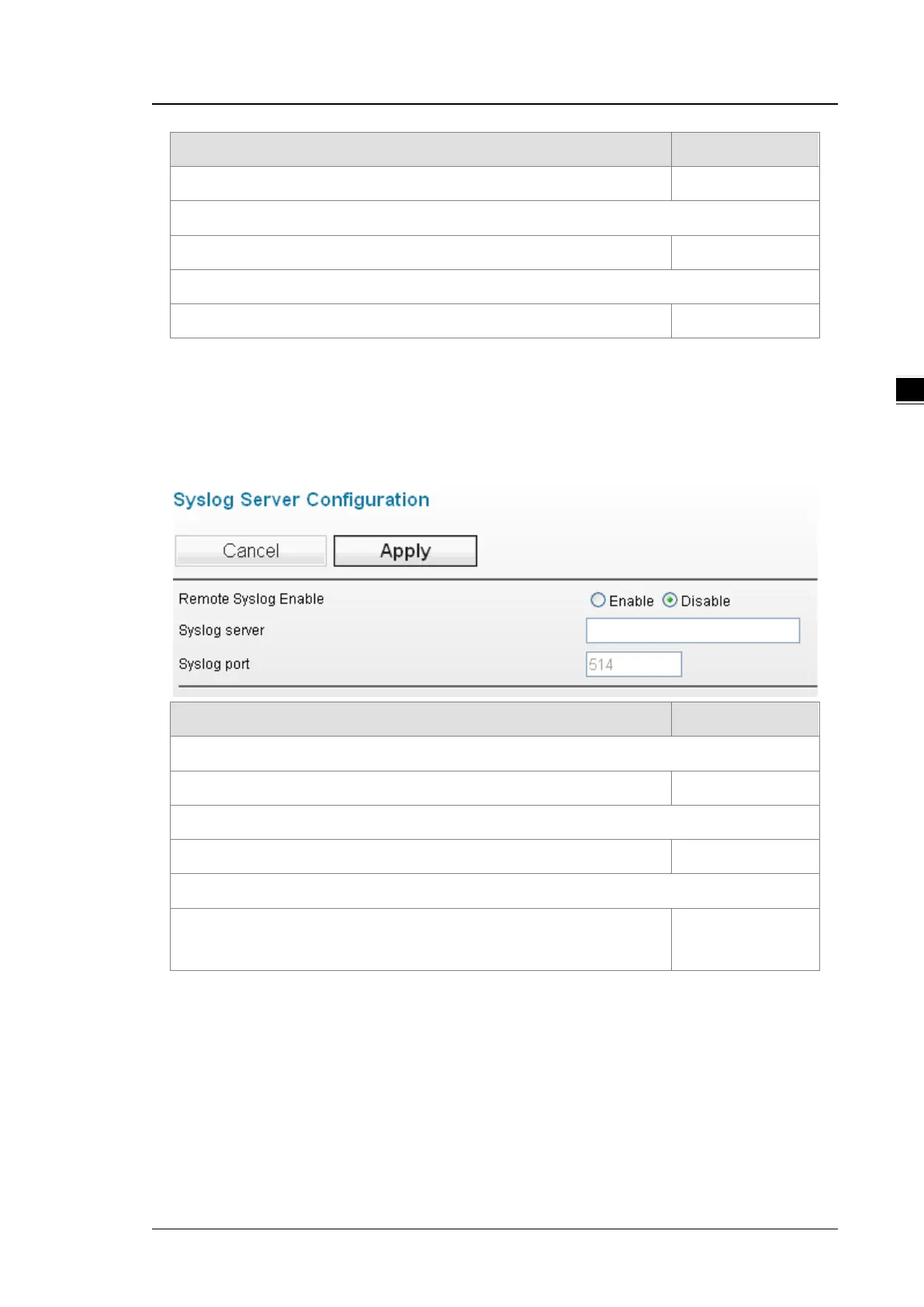
3.6.1.2 Syslog Server Configuration
This function allows users to have the system log sent to the syslog server once there is any event occurs.
DVW series can configure 1 syslog server and its transport layer protocol is UDP.
Description Factory Default
Remote Syslog Enable
Enable or disable the remote syslog function Disabled
Syslog Server
The IP address of the syslog server None
Syslog Port
Set up the local UDP port (the setups should be the same as the UDP port of
the syslog server , ranging from 1-65535)
514
3.6.2 E-mail Alarm
When malfunctions, errors, configuration changed, or other appointed events occurred, the system can create
a warning and send the warning to the appointed email address.
3.6.2.1 E-mail Event Types
Please check the box to enable the event items you’d like to be notified. The default settings are disabled
(unticked).



 To Next Page