Chapter 3 Featured Function
3-43
Notice:
The Repeater mode LED and the status LED will be ON when the device is in the client mode.
The RF type and the channel will be grayed out in the client mode. After mapping, the RF type, channel,
and security mode will be synchronized with the settings of the AP end.
Before connecting the wireless device to the DVW series in the Repeater mode, please check if the
network environment is with the DHCP-Server. If not, please set the IP configurations of the DVW series
to DHCP-Server or manually set the IP address of the wireless device to the same network segment of
the DVW series. Otherwise, DVW series may not be able to connect to the wireless device.
The bandwidth will be decreased by 50% whenever a repeater end is created.
While setting the device to the client mode, it is suggested to use Delta DVW series for AP end, repeater
end and the client end to minimize compatibility issues and ensure best performance.
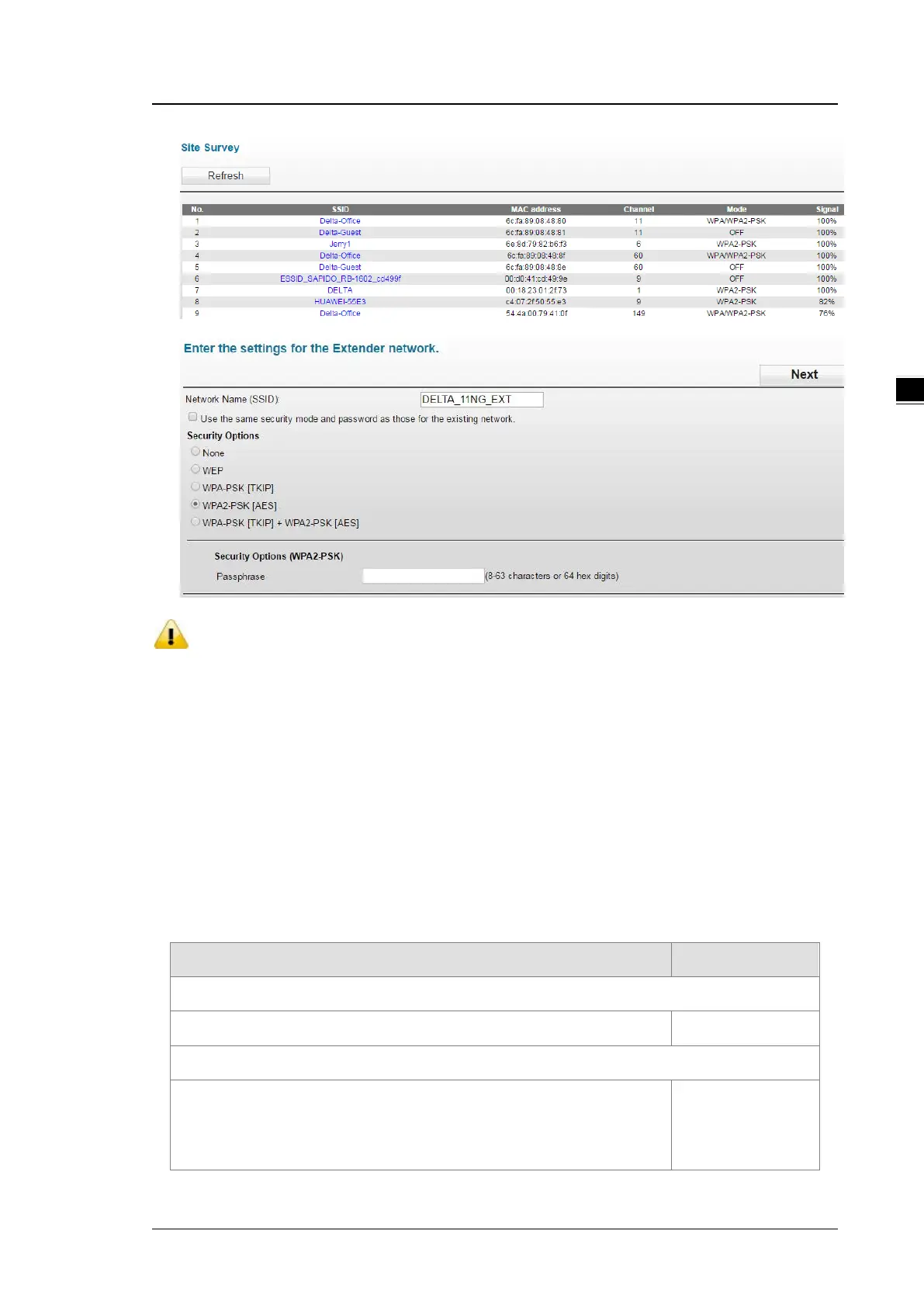
Description Factory Default
Network Name (SSID)
SSID of the repeater end can be set differently as the AP end None
Security Mode
Select the Use the same security mode and password as those for
the existing network: the security mode of the repeater will be the
same as the security mode of the AP end.
None



 To Next Page