13. Fluorescence: Basic Operation
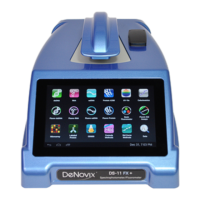
The DeNovix spectrophotometer/fluorometer software versions 2.0 and above
include both absorbance and fluorescence apps. The fluorescence app icons will
appear on the first page of the Home screen for the integrated DS-11 FX and
DS-11 FX+ models. The inactive versions of the icons will appear on the second
page for DS11 or DS-11+ units when a FX Module USB accessory is not
detected.
The table below lists the four LEDs included in all FX models.
Fluorescence Measurements
1. If using the FX Module accessory, connect the module to the DS-11/DS-11+
using one of the three back USB ports.
2. Insert a micro tube pre-filled with the fluorescent solution. Close the cover
and tap Measure.
Notes:
• Use clear thin-walled 0.5 mL plastic PCR tubes only
• Measure 200 µl volume samples.


 To Next Page
 Loading...