Chapter 4 Configuring the Joint Parameters
45
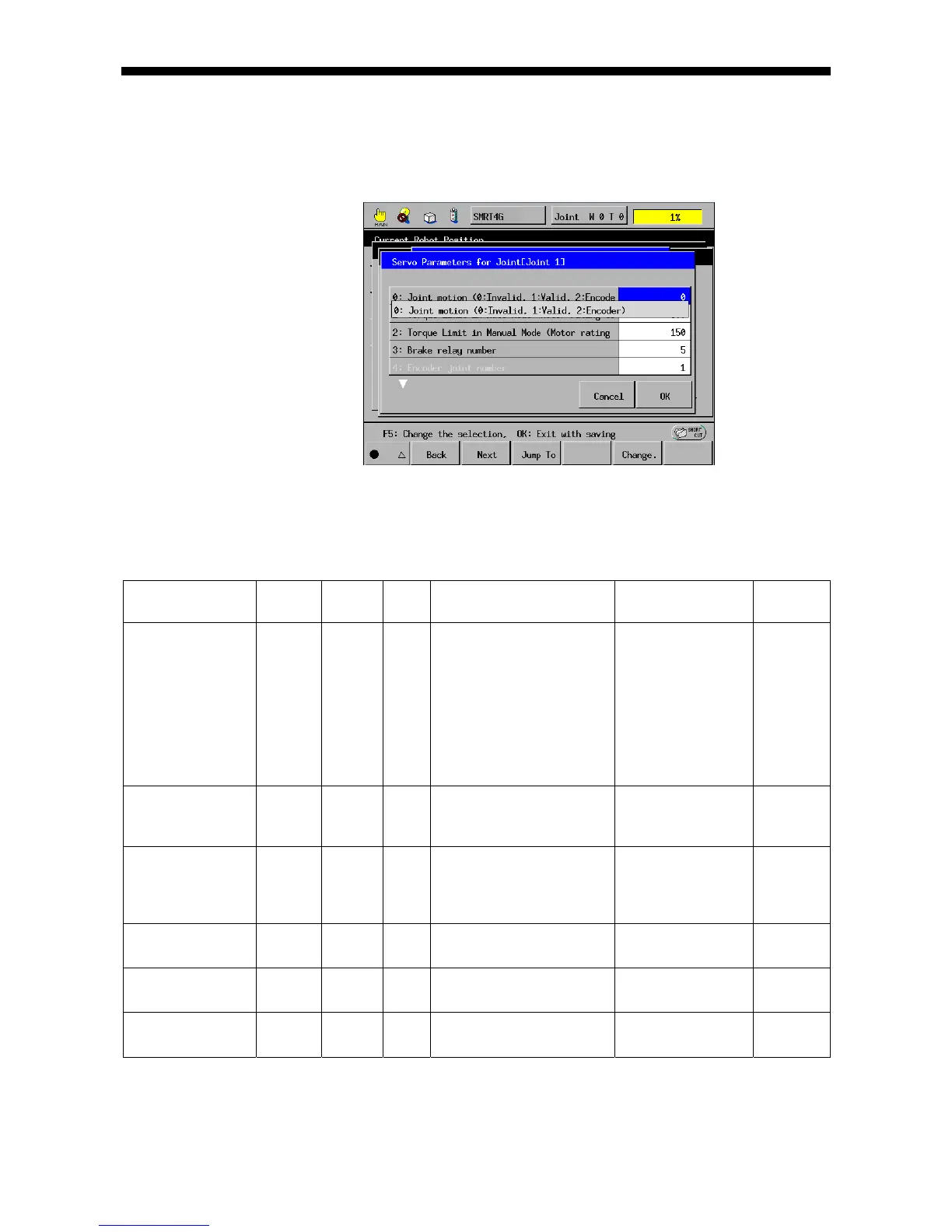
(3) Press [OK]. The servo configuration parameters window appears as shown
below. Change the servo configuration parameters and press [OK].
Note: For the detailed procedure, refer to "Detailed Description of Joint
Parameter Setting."
The servo configuration parameters are listed in the table below.
Note: Some parameters will take effect after the controller is restarted.
List of Servo Configuration Parameters (1)
Parameter name
Entry
range
Factory
default
Unit Description Remarks
Controller
restart
Joint motion
(0: Invalid, 1: Valid,
2: Encoder)
0 to 2 To connect and drive a
specified motor, set 1; to
use the encoder only, set 2.
If "2: Encoder" is
selected, turning the
motor on will release
the brake.
CAUTION: If any
unbalanced load is
applied, the joint will
move towards the
load.
Needed
Torque limit in auto
mode (Motor rating
ratio %)
0 to 400 300 % Set the torque limit value to
be applied in auto mode.
Not needed
Torque limit in
manual mode
(Motor rating
ratio %)
0 to 400 150 % Set the torque limit value to
be applied in manual mode.
Not needed
Brake relay number 0 to 8 Displays the motor brake
relay number.
No change allowed.
Encoder axis
number
1 to 8 Displays the encoder axis
number.
No change allowed.
Power module slot
number
1 to 8 Displays the power module
slot number.
No change allowed.



 To Next Page