Chapter 4 Configuring the Joint Parameters
41
Chapter 4 Configuring the Joint Parameters
To use joints, you need to configure joint parameters beforehand. There are three
types of joint parameters as described below, which can be configured by using the
teach pendant.
(1) Path configuration parameters, which are provided for motion definitions
(including speed, acceleration, and range of motion) of joints.
(2) Servo configuration parameters, which are provided for setting the gain and
others of joint servo system.
(3) Arm configuration parameters, which are provided for performing CP motions
with joints being collaborated.
4.1 Path Configuration Parameters
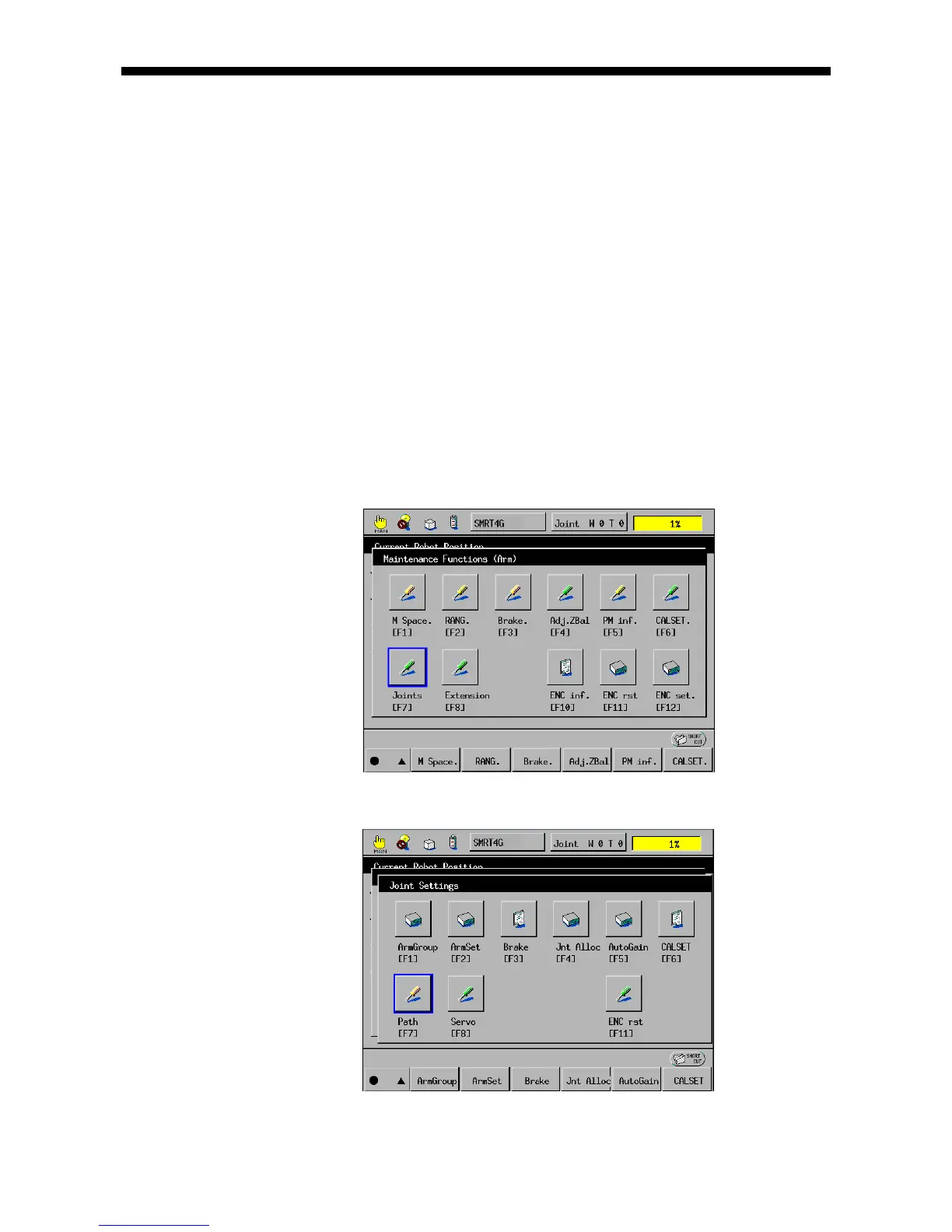
(1) Call up the "Maintenance Functions (Arm)" window.
Access: Top Screen—[F2 Arm]—[F12 Maint.]
(2) Press [F7 Joints]. The Joint Settings window appears.



 To Next Page