Chapter 4 Configuring the Joint Parameters
72
4.8.2 Releasing or locking brakes
■ From the teach pendant
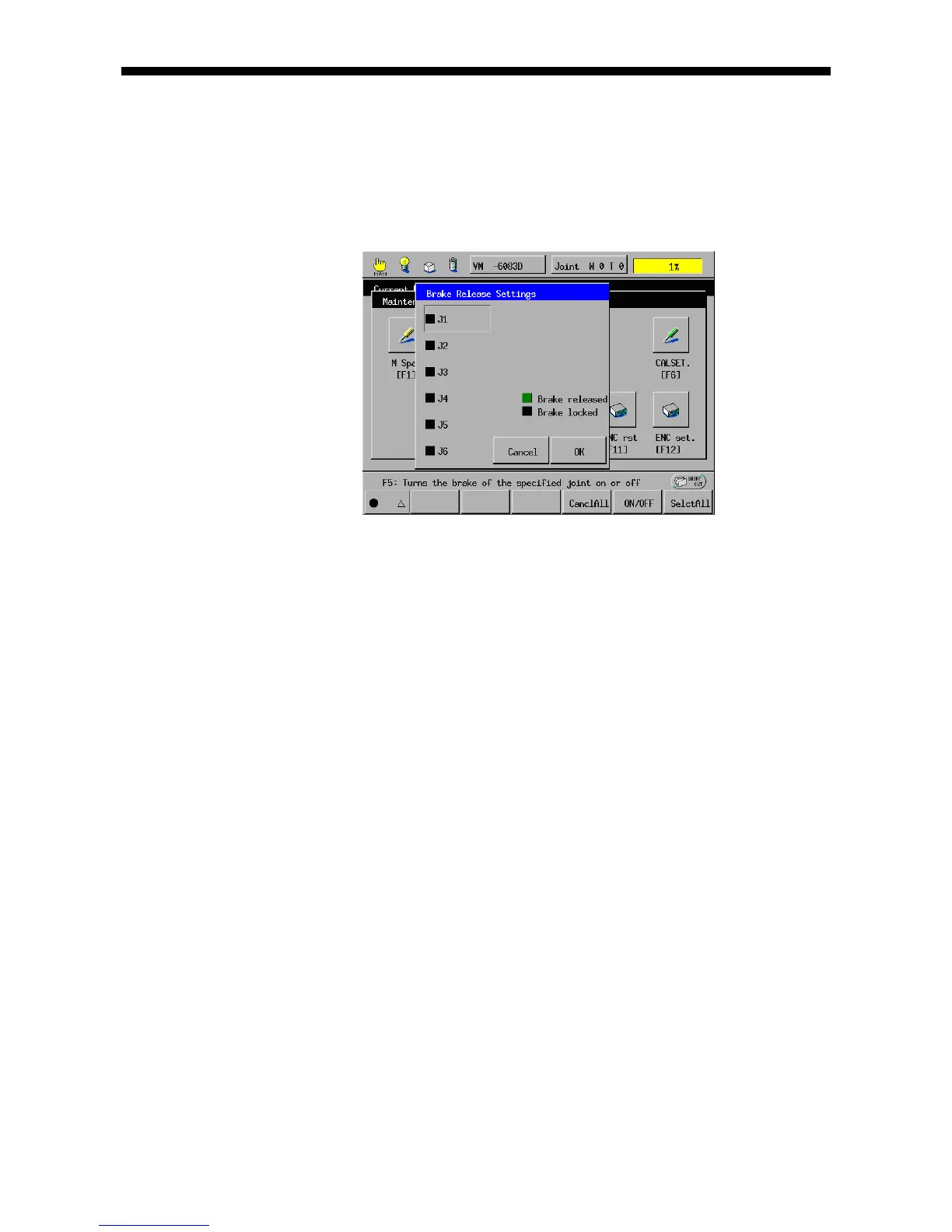
(1) Call up the Brake Release Settings window.
Access: Top Screen―[F2 Arm]―[F12 Maint.]―[F3 Brake]
(2) Select the target brake.
(3) Press [F5 ON/OFF], and the indicator color of the selected brake will change
from black to green if locked or from green to black if released.
Black: Brake locked, Green: Brake released
To lock all axes' brakes, press [F4 CanclAll]; to release them, press [F6 SelctAll].
(4) Check the brake status, and then press the OK button to make the new entry
take effect.



 To Next Page