Chapter 4 Configuring the Joint Parameters
76
4.8.4 Resetting Encoder
You need to reset encoders and perform CALSET if:
- Error 6411 or 6422 occurs due to first use of AC servomotors, or run-down
encoder backup batteries, or
- Error 6771 or 6772 occurs due to a great impact applied to the robot when
the power is off.
This section describes how to reset encoders using the teach pendant.
■ From the teach pendant
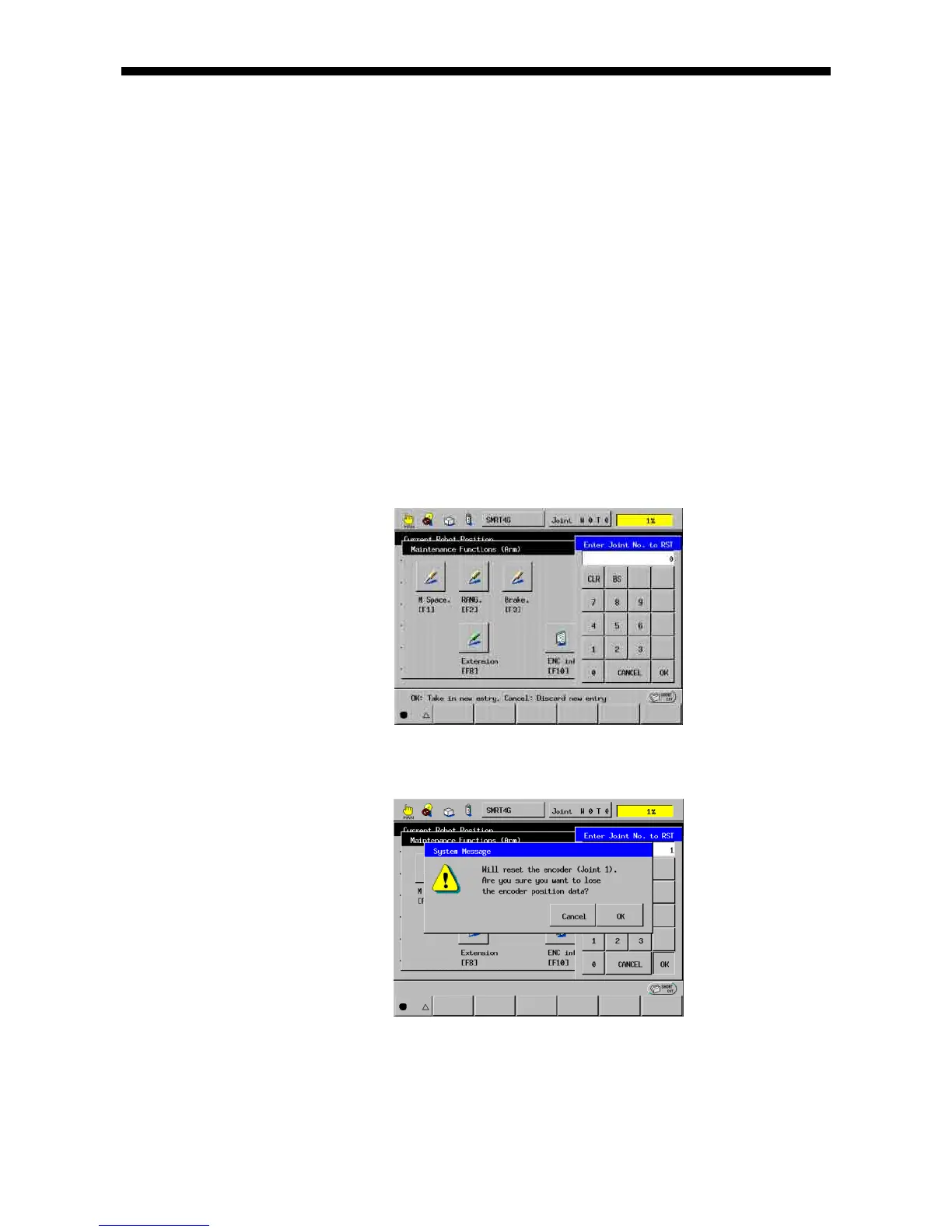
(1) Call up the Encoder reset window.
Access: Top Screen―[F2 Arm]―[F12 Maint.]―[F11 ENC rst]
Pressing [F11 ENC rst] in the Maintenance Functions (Arm) window will display
the Encoder reset window as shown below.
(2) Enter the axis number whose encoder is to be reset, and press [OK].
System Message appears.
(3) Pressing [OK] resets the encoder on the selected axis.



 To Next Page