Chapter 4 Configuring the Joint Parameters
44
4.2 Servo Configuration Parameters
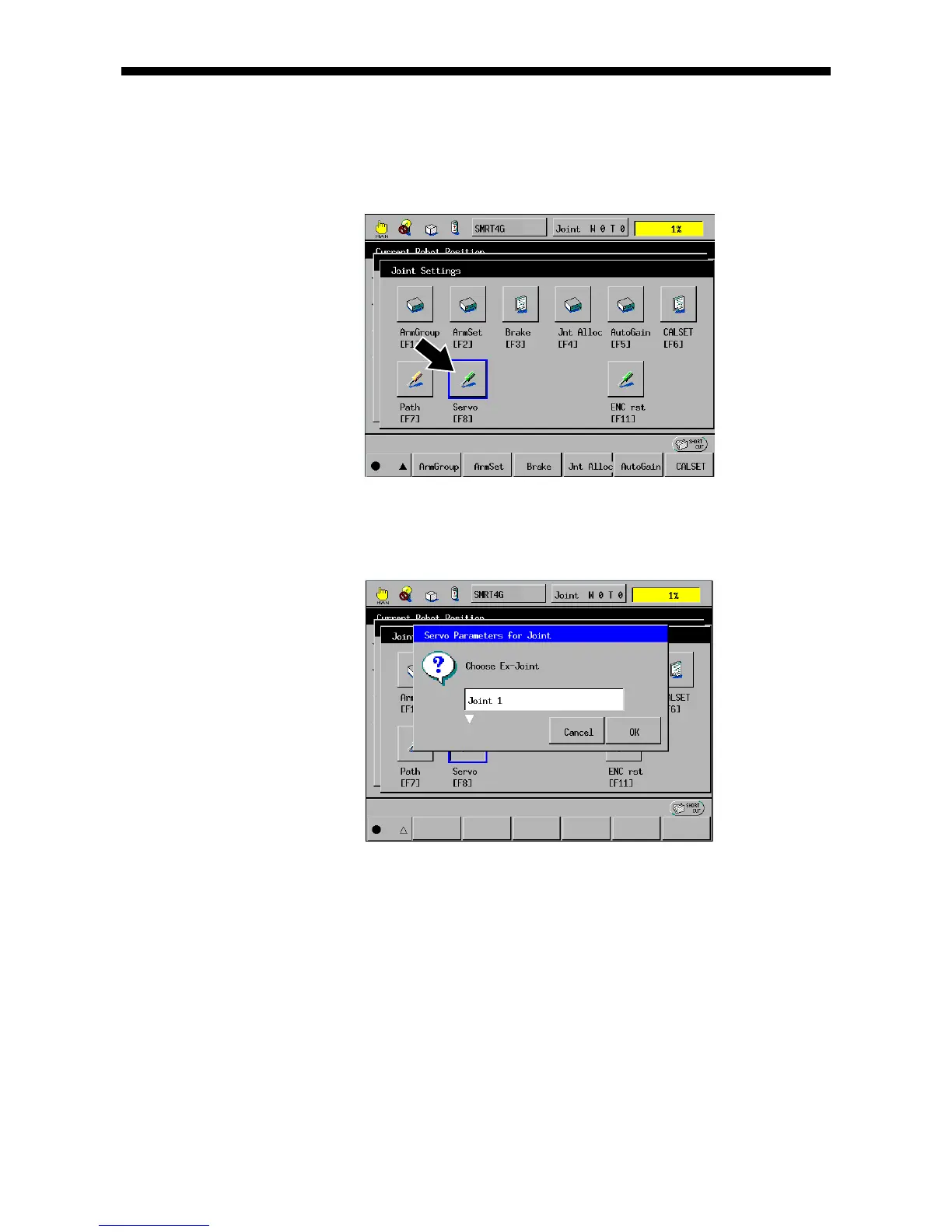
(1) Call up the Joint Settings window.
Access: Top Screen—[F2 Arm]—[F12 Maint.]—[F7 Joints]
(2) On the Joint Settings window shown above, press [F8 Servo]. The servo
configuration window appears as shown below. Select the target joint (J1 in this
example) by using the cursor keys or jog dial.



 To Next Page