Chapter 4 Configuring the Joint Parameters
60
4.7.1 Auto Gain Tuning
To implement auto gain tuning, the mechanism to be connected to the joint motor
should satisfy the requirements given in Section 4.7.1.1 below. Otherwise, some
errors may occur and the auto gain tuning process may be interrupted. If such
happens, implement manual gain tuning.
4.7.1.1 Requirements for implementing auto gain tuning
(1) The inertia of payload should be within 15 times that of the motor and should not
deviate greatly.
(2) The rigidity of the torque transmission mechanism (including motor and coupling)
to be connected to each joint motor should be high.
(3) The backlash in the torque transmission mechanism should be minimized.
(4) Rotating the motor in CCW and CW directions alternately two times each
direction should result in no problem.
4.7.1.2 Auto gain tuning procedure
(1) Turn the motor power on and perform CAL.
NOTE: If the controller is in Auto mode or Teach check mode, switch to Manual
mode.
(2) Get out of the motion range so that there will be no problem even if the motor
rotates in CCW and CW directions alternately two times each direction.
(3) On the teach pendant, call up the Joint Settings window.
Access: Top Screen―[F2 Arm]―[F12 Maint.]―[F7 Joints]
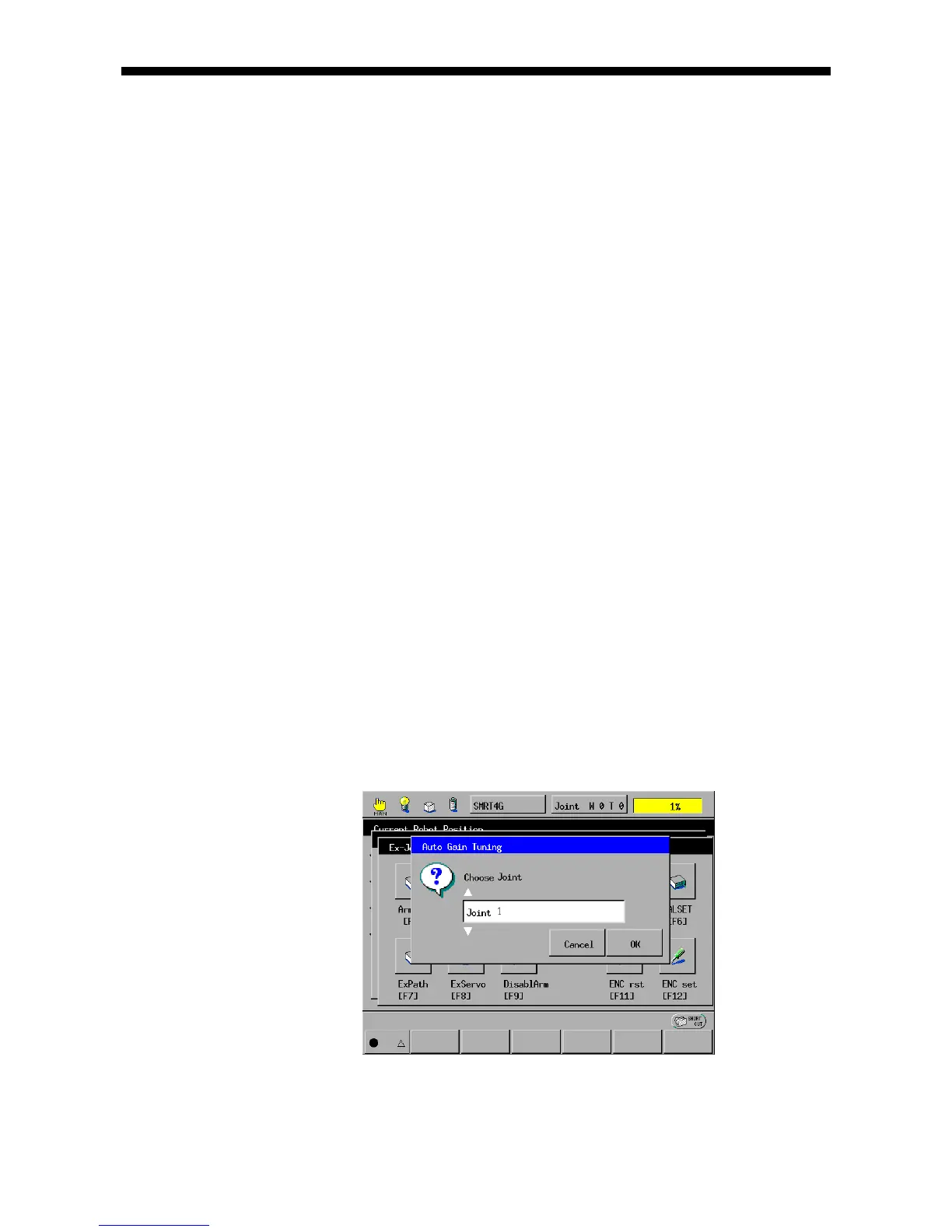
(4) Press [F5 Auto Gain] to call up the Auto Gain Tuning window as shown below.
Choose the joint number that should undergo auto gain tuning and the motor
rotation direction.



 To Next Page