Chapter 4 Configuring the Joint Parameters
62
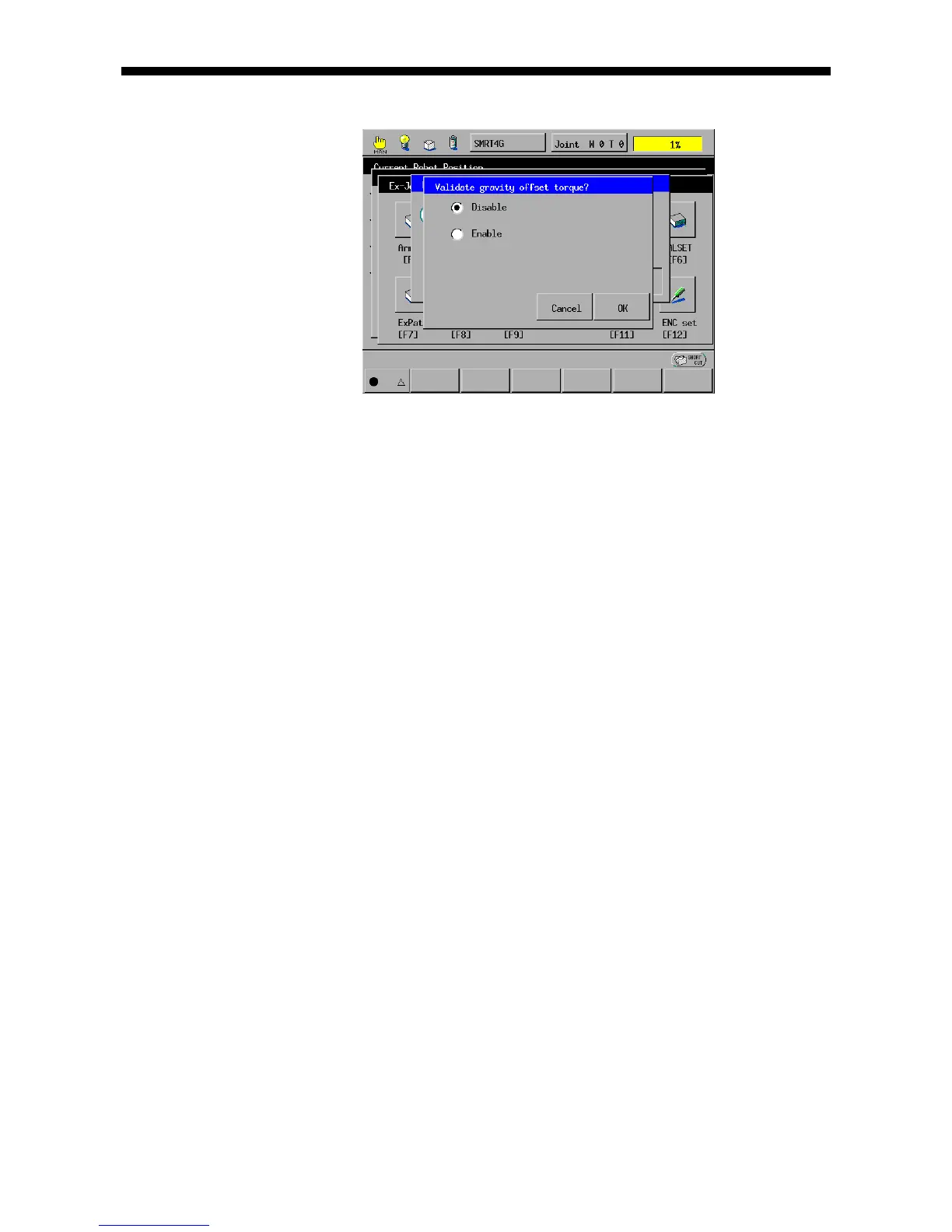
(6) Select whether the gravity offset torque should be enabled or disabled.
If an unbalanced load applies to the motor, be sure to enable the gravity offset
torque.
NOTE: If you disable gravity offset torque when the motor undergoes any
unbalanced load, then the joint will drop in the gravity direction, causing an error.
To implement auto gain tuning when an unbalanced load applies to the motor, be
sure to enable the gravity offset torque.
If you enable the gravity offset torque for auto gain tuning, the controller will
automatically calculate the torque offset included in servo configuration
parameters. On the Joint Settings window, press [F8 Servo] to call up the servo
configuration parameters window and then press OK to save the calculated
torque offset value.
NOTE: If you turn the controller power off without saving the calculated torque
offset value, then the value will be lost and the previous value will resume.
(7) Hold down either one of the deadman switches through all processes of auto
gain tuning. Releasing it will interrupt auto gain tuning.
NOTE: During auto gain tuning, do not press any key on the teach pendant
except for the deadman switches. Doing so will interrupt auto gain tuning.
NOTE: If the joint motion has been set to [2:Encoder] on the servo
configuration parameters window, then the error message "Not executable" will
appear during auto gain tuning.



 To Next Page