User Manual DEV 1953
Copyright DEV Systemtechnik GmbH 2015-2017 57
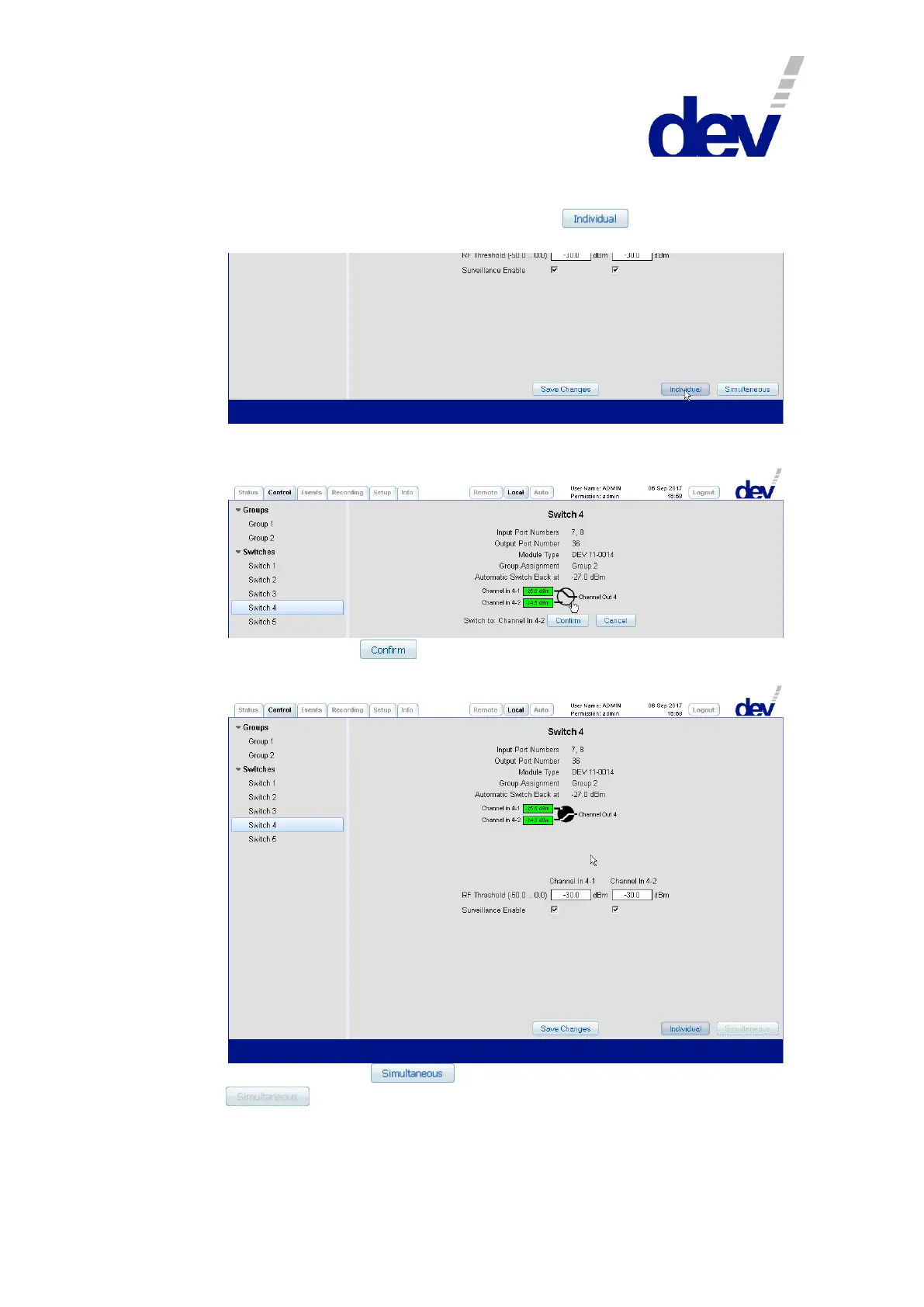
The individual switching of a switch module is performed as follows:
To switch in Local Mode (!) only the selected module, Individual switching
mode is to be activated; i.e. in this scenario, the button in the lower
right corner is to be operated:
Next, click on the circle between the representation of inputs and output,
which causes two additional buttons to appear:
After a click on the button, the actual switching is performed and the
new status (the module is switched to the secondary input port) is shown:
Please note that the button becomes disabled (grayed out:
), indicating that the device cannot be switched back to Simulta-
neous switching mode, since the switch modules which are member of the
group (here: "Group 2") are not in the same switching position now.



 To Next Page