4.2 Choose Display Device
To set up your Dexcom G5 Mobile, first choose the display device(s) you want to receive
your CGM data and alerts. You have three choices, the next pages will help you make
your decision.
• Your smart device only
• Your receiver only
• A combination of both
For app setup see Section 5.
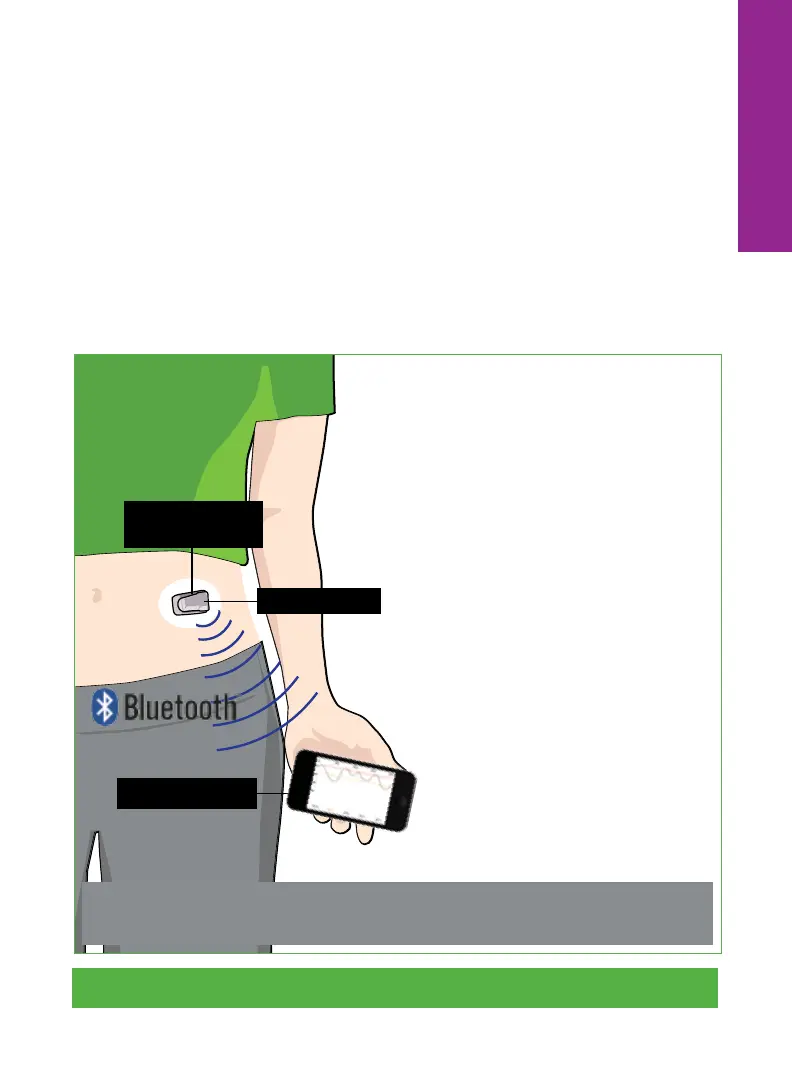
Smart Device Only
Dexcom G5 Mobile CGM System Quick Start Guide • 17
3. Smart Device
2. Transmitter
1. Sensor
(Below the Skin)
Your transmitter sends sensor
glucose information directly to your
smart device using
Bluetooth
®
wireless technology.
Bluetooth
on your smart device
must be ON in order to receive
CGM data and alerts.
Things to consider if choosing your
smart device only:
• Do you use Do Not Disturb or
set your device to silent often?
Your phone settings impact your
alerts. For example, you will not
get audible alerts if your device
is on silent.
NOTE: The Dexcom G5 Mobile App cannot override your smart
device settings.
Overview



 To Next Page