Tips for Entering BG Meter Values
See your user guide for more details.
Dexcom G5 Mobile CGM System Quick Start Guide • 37
Do enter BG Meter Values:
Don’t enter BG Meter Values:
After your initial BG meter values, BG meter values must be entered once every 12
hours at a minimum.
• If you see a ??? (question mark) or signal loss error on the screen
• After you have taken acetaminophen (such as Tylenol
®
)
• If your BG meter value is higher than 400 mg/dL or lower than 40 mg/dL
• After washing and drying your hands
• Within five minutes of testing with your meter
• Using the exact number from your meter
• Using only fingerstick blood glucose values
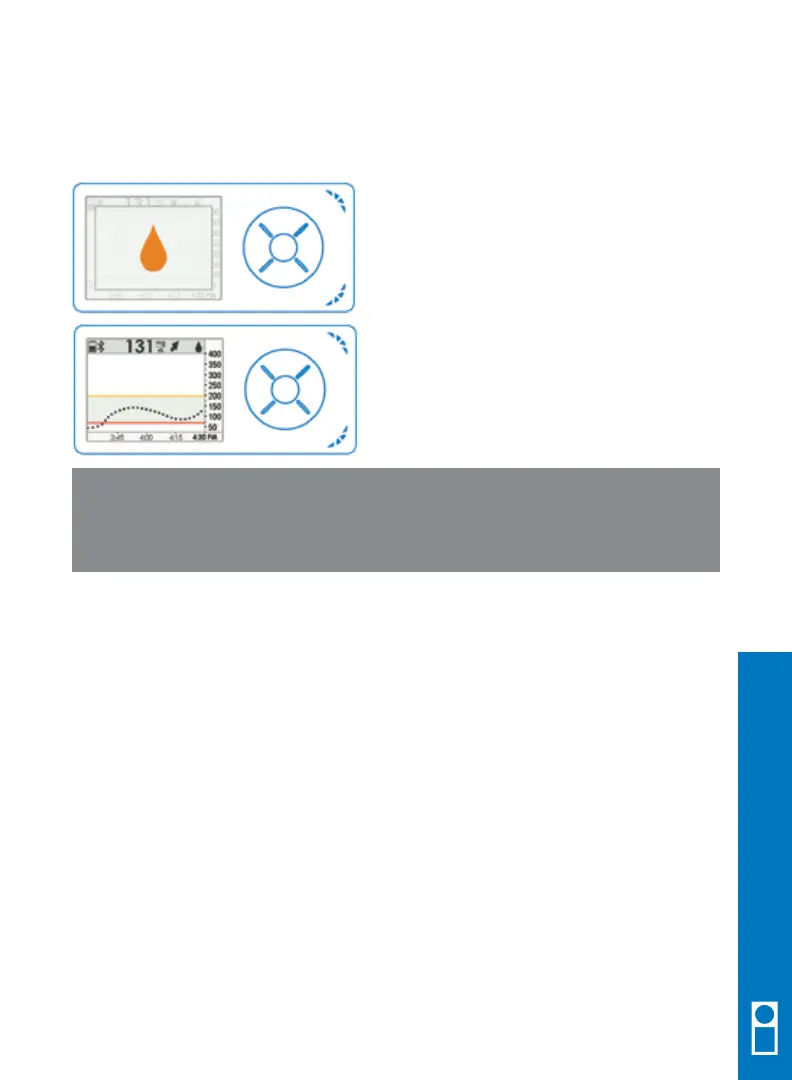
A single blood drop prompt will
appear when a BG meter value is needed.
Press SELECT to confirm.
After you press SELECT, you will see
a single blood drop in the upper right
corner of the trend graph screen. Go to
the Enter BG menu item to enter your
BG meter value.
When using both the app and the receiver at the same time, you should enter BG
meter value on only 1 device. When you enter a value into one device, the sensor
glucose values may be different on the other display device until the transmitter shares
the entered value.
6.9 Enter BG Meter Values Every 12 Hours
WARNING: Calibrate at least once every 12 hours. Calibrating less
often than every 12 hours might cause sensor glucose readings to be
inaccurate, resulting in you missing a severe low or high glucose event.
Receiver Setup & Operation



 To Next Page