32 • Dexcom G5 Mobile CGM System Quick Start Guide
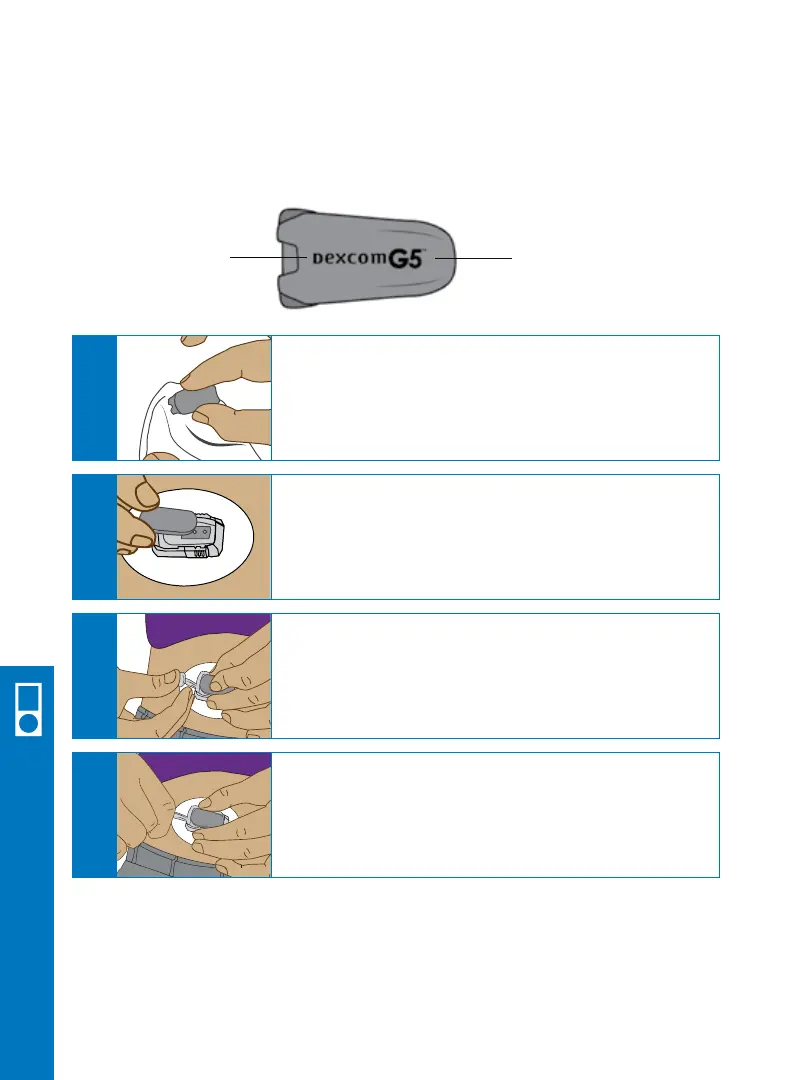
Once you have inserted the sensor, you need to attach your transmitter to the
sensor pod.
Clean the back of your transmitter with an
alcohol wipe.
Let dry.
A
Place the transmitter in the sensor pod with the
flat side down, and thinner side away from the
transmitter latch.
B
Hold the sides of your sensor pod with one hand.
Remove the transmitter latch with the other hand by
quickly twisting off the latch away from your body.
D
Place one finger on the transmitter to keep it in place.
With your other hand, pull the transmitter latch up and
forward until you hear 2 clicks.
C
Wider Side Thinner Side
6.4 Attach Transmitter
Receiver Setup & Operation



 To Next Page