36 • Dexcom G5 Mobile CGM System Quick Start Guide
D
C
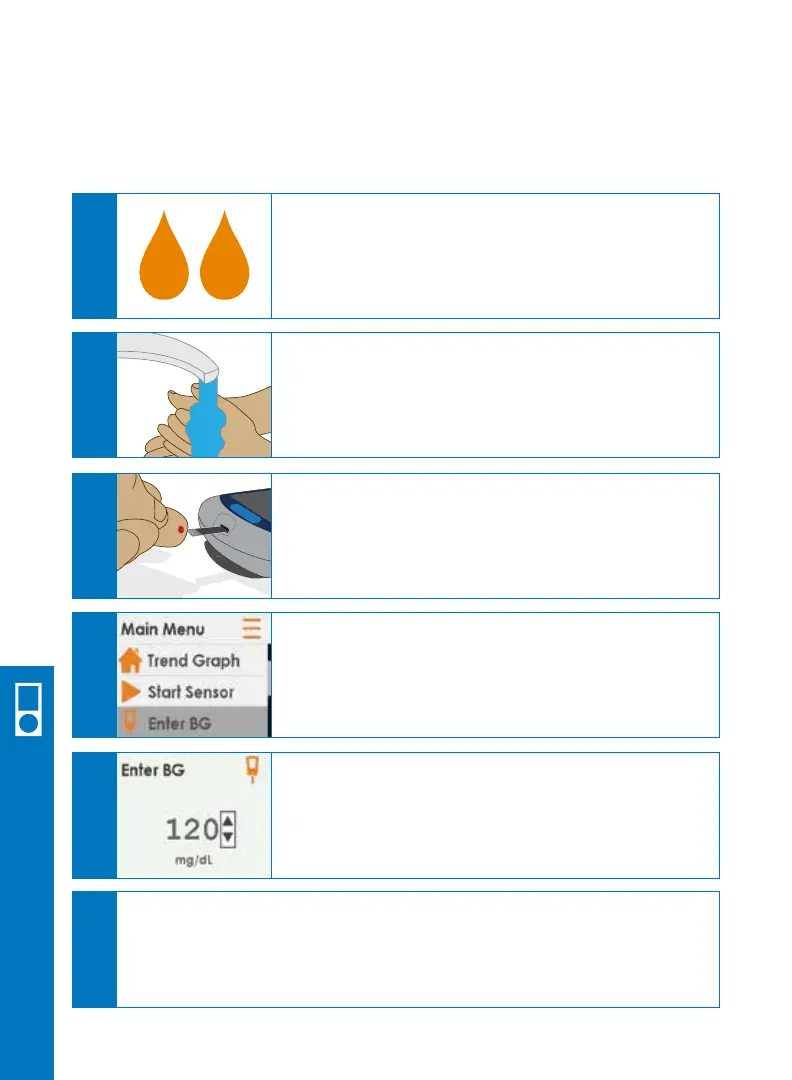
After the 2-hour warmup, a double blood drop
prompt will show on the receiver screen.
Take a fingerstick blood glucose
measurement using your BG meter.
Choose Enter BG.
Press SELECT.
A
At the end of the 2-hour sensor warmup, you must enter two BG meter values before
any sensor glucose readings will show.
B
Wash and dry your hands.
E
Enter the exact blood glucose value from your BG
meter. Press SELECT.
Press SELECT again to confirm.
F
Repeat steps above to enter a second meter value.
Entering two separate BG meter values will ensure an accurate reading.
6.8 Enter Initial BG Meter Values
Receiver Setup & Operation



 To Next Page