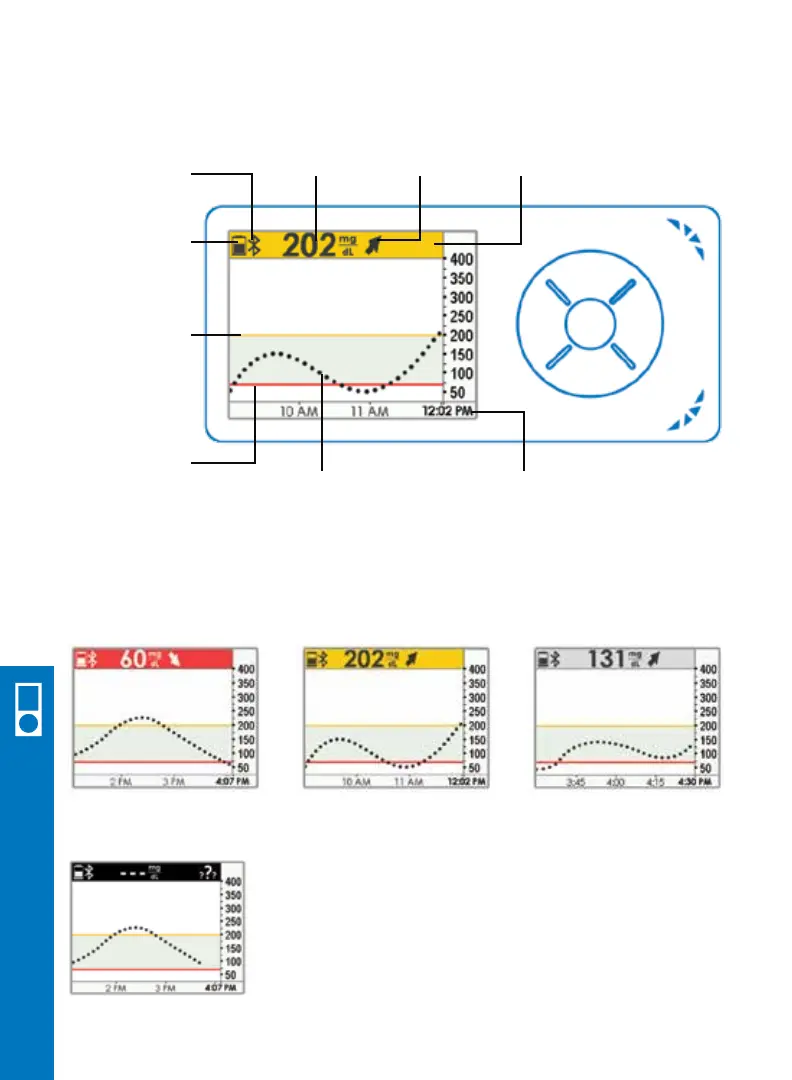
Trend
Arrow
Trend Graph
Low
Glucose
Alert Level
High
Glucose
Alert Level
Glucose
Reading
Where You Are Now
Red = Low Yellow = High Gray = In Target
To know where you are now, look at the color and number on your receivers top bar.
Bluetooth
Battery
Current Time
Your system can have issues or errors. These show up as
icons in the status area of your top bar. When you have an
issue or error, your top bar will turn black. You won’t get
sensor glucose readings when a black bar is shown. See
your user guide for more information on the issue or error.
Status
Area
38 • Dexcom G5 Mobile CGM System Quick Start Guide
6.10 View Receiver Trend Screen
Receiver Setup & Operation



 To Next Page