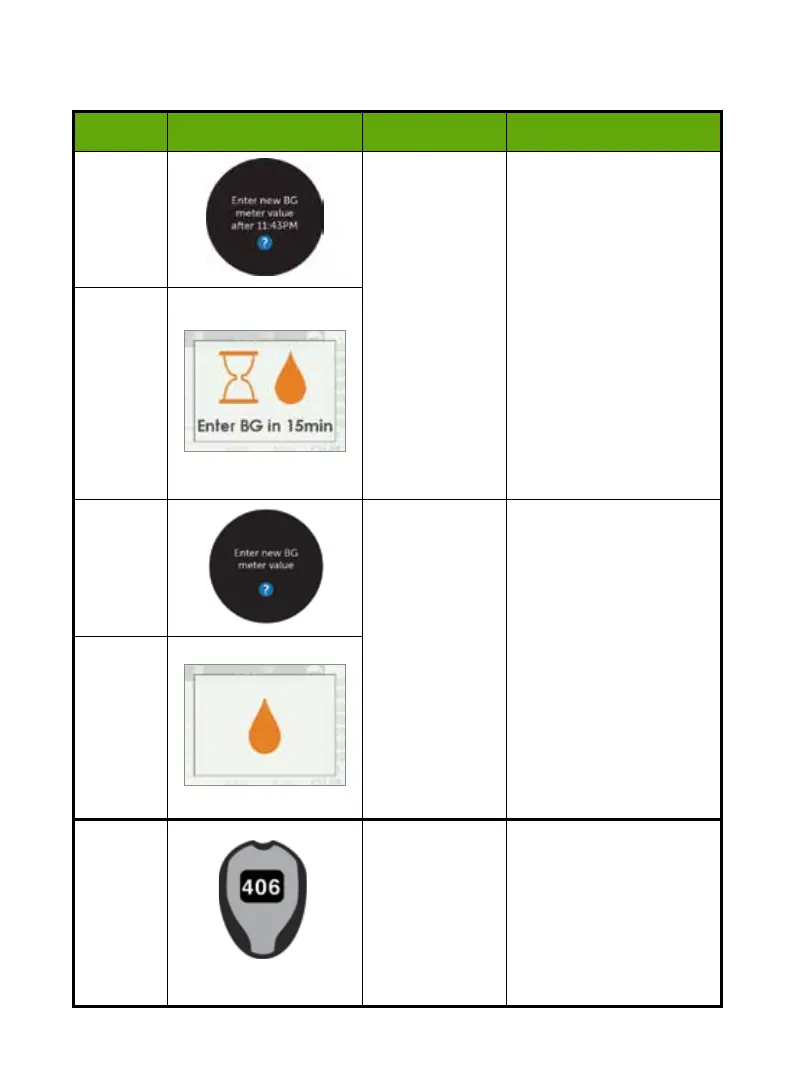
8.5 Calibration Errors
Device What you see Problem What you do
Smart
Device
System didn’t
accept recent
calibration (see
Sensor Glucose
Readings
troubleshooting
for a possible
reason)
No sensor
glucose
readings will
be displayed
until error is
resolved
Wait 15 minutes.
Enter 1 calibration.
If error screen still
appears enter 1 more BG
meter value.
Wait 15 minutes.
If no sensor glucose
readings appear on
the display, the sensor
needs to be replaced.
Call Technical Support to
report error.
Receiver
Smart
Device
System didn’t
accept recent
calibration
Enter 1 BG meter value.
Wait 15 more minutes.
If error screen still
appears enter 1 more BG
meter value.
Wait 15 minutes.
If no sensor glucose
readings appear on the
display, the sensor needs
to be replaced.
Call Technical Support to
report error.
Receiver
BG Meter
System will
not accept
calibration if
outside of the
40-400 mg/dL
range
Wait until your glucose is
between 40-400 mg/dL.
Calibrate only when
your BG meter values are
between 40-400 mg/dL.
48 • Dexcom G5 Mobile CGM System Quick Start Guide



 To Next Page