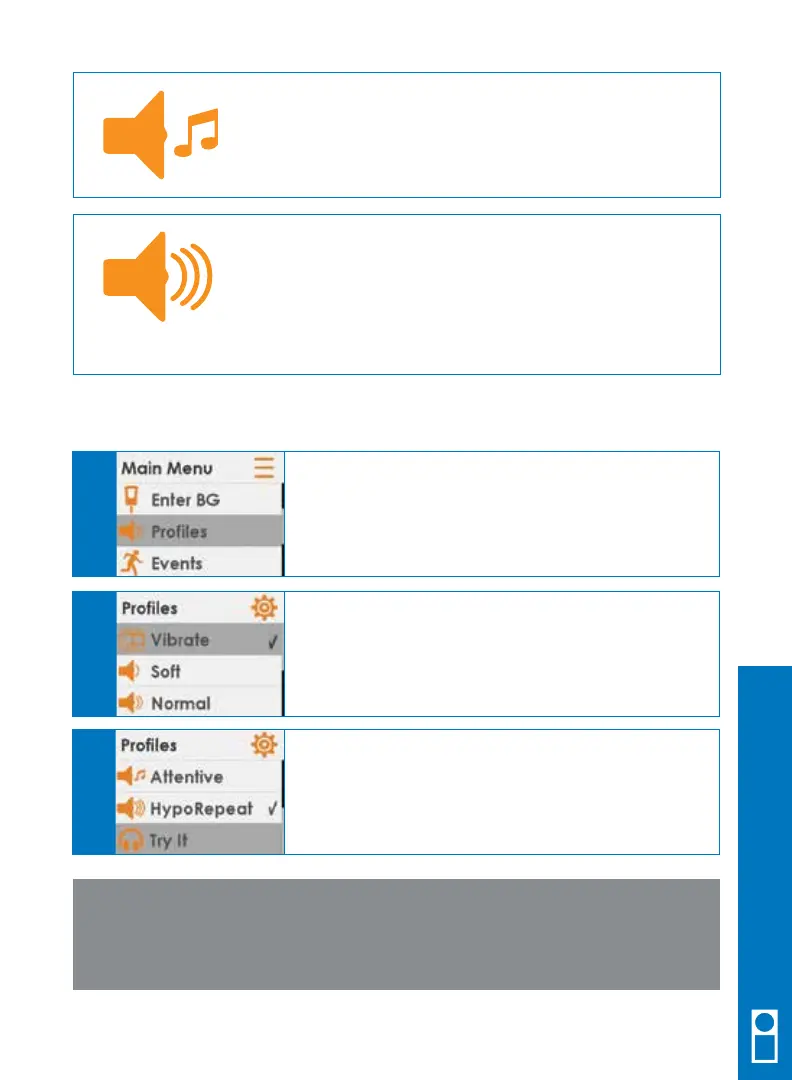
Attentive: Can be used when you want your alert to
be noticeable.
This sets all the alerts and alarms to loud with
distinctive melodies.
HypoRepeat: Can be used when you want extra alerts
for severe low sensor glucose readings.
This profile will keep repeating the fixed low alarm every
5 seconds until confirmed or until your reading rises
above 55 mg/dL.
Follow these steps to choose your sound profile.
NOTE: No matter what profile you set, all alerts will notify you by
vibrating first. There will be no audible beep if you confirm the alert
after the first vibration.
From any trend graph, press SELECT to get to the
Main Menu.
Choose Profiles.
A
Highlight the alert profile you want to use.
Press SELECT.
A check mark appears to the right of the profile you
choose.
B
Choose Try It to hear an example of your selected
alert profile.
C
Dexcom G5 Mobile CGM System Quick Start Guide • 35
Receiver Setup & Operation



 To Next Page