n
Receiving CGM Alerts
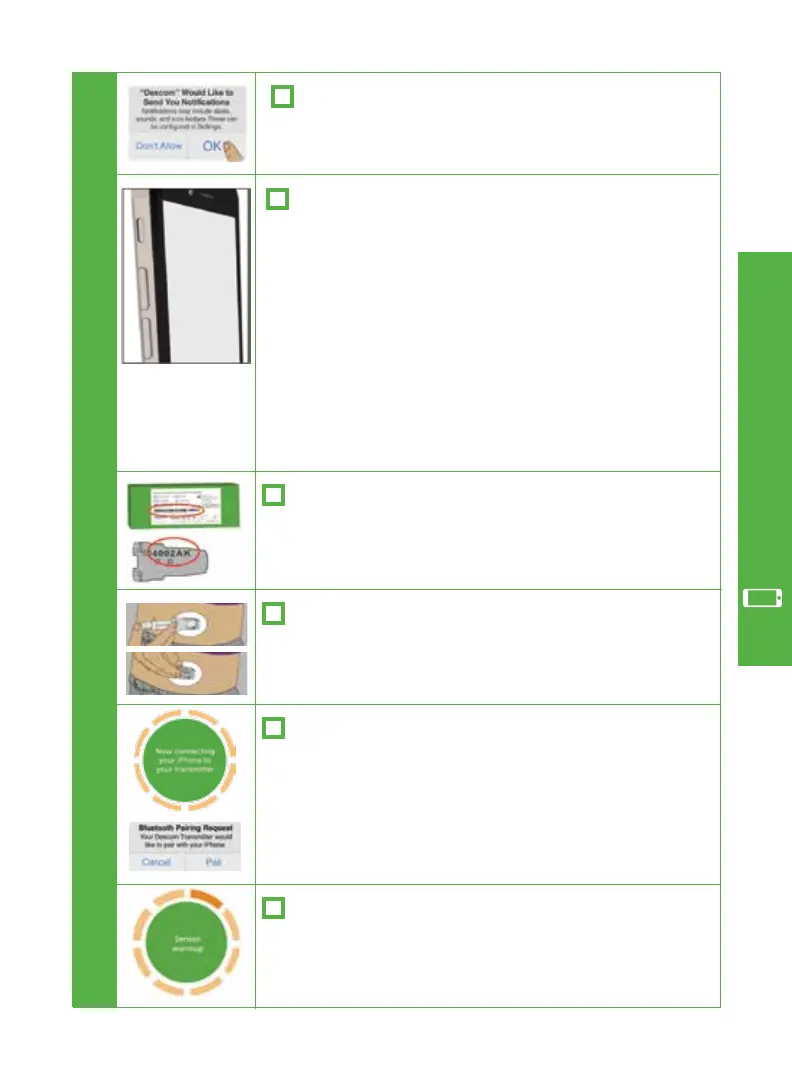
To receive CGM alerts, you must allow Dexcom to
send you notifications.
Dexcom G5 Mobile CGM System Quick Start Guide • 21
n
Sensor/Transmitter
n
2-hour Sensor Warmup
C
n
Transmitter Pairing
n
Settings
Tap the circle to start your 2-hour sensor warmup.
When you see the sensor warmup timer, your set
up is complete.
Watch the in app video to help you insert your sensor
and attach your transmitter.
n
Transmitter Serial Number (SN)
Take a photo of the barcode found on the bottom of
your transmitter box or enter transmitter SN by hand.
Set your volume loud enough to hear your Low and
High Alerts.
If Do Not Disturb is enabled, you will not receive
audible or vibratory alerts.
The Dexcom G5 Mobile App will not
override your smart device settings.
Bluetooth
on your smart device needs to be ON in
order for the system to work.
After inserting your sensor and attaching your
transmitter, your transmitter will connect to your
app using
Bluetooth
. This can take up to 30 min-
utes. Tap Pair on the pairing request.
App Setup & Operation



 To Next Page