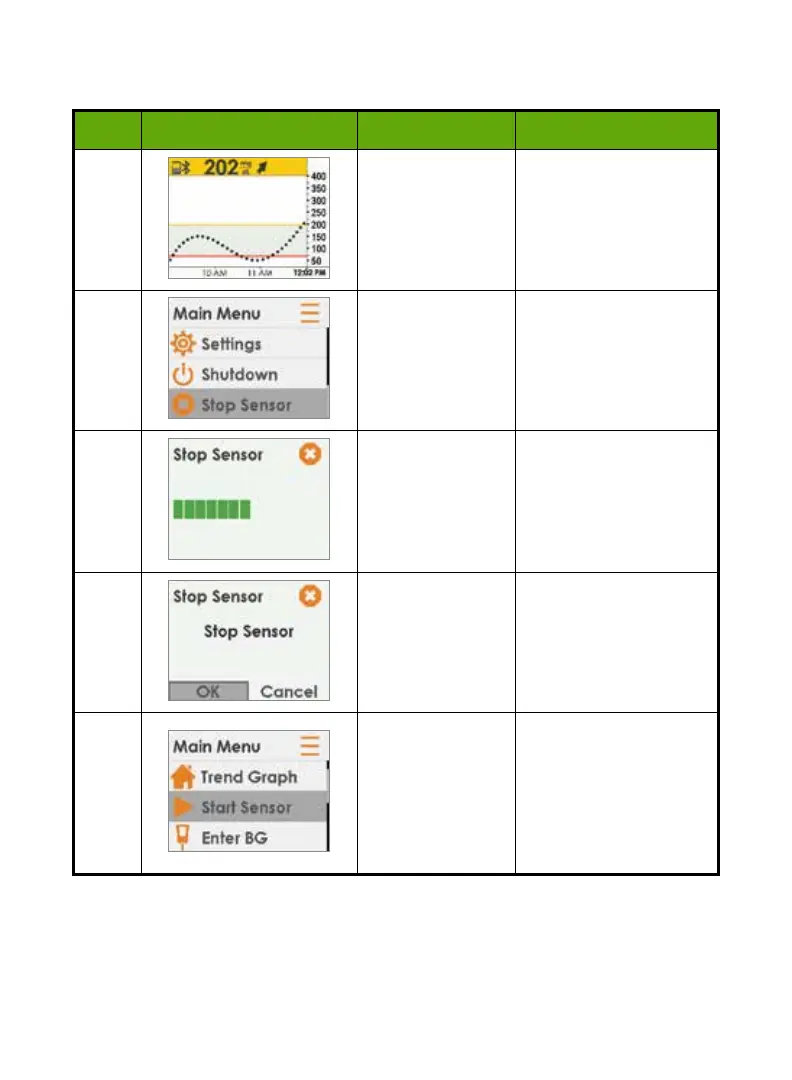
Receiver: Ending a Sensor Session Early
Step What you see What you do What it means
1 Press
Select
. Go to Main Menu.
2
Press
Down
Arrow
to
Stop
Sensor
.
Press
Select
.
Ends sensor session.
During session,
Stop
Sensor
option appears.
3
Wait. Thinking screen.
4
Press
Select
.
Allows you to confirm
stop sensor.
Return to Main Menu.
5
Remove sensor.
Insert new sensor.
Press
Start
Sensor
when
ready for new
session.
Ready to start a new
session.
Not in active session,
Start Sensor
option
appears.
52 • Dexcom G5 Mobile CGM System Quick Start Guide
Please call the Dexcom Technical Support Team, 24/7, toll free at 1.877.339.2664 or
toll at 1.858.200.0200 if any of these errors continue and the instructions don’t resolve
the issue.



 To Next Page