Dexcom G5 Mobile System User Guide
140Ending Your Sensor Session and Transmitter Session
Before reusing the transmitter in your new sensor session, separate it from the old sensor
pod.
You can detach transmitter two ways:
1. Use safety lock (see “With Safety Lock” table below), which you removed from the
applicator barrel at the beginning of the session.
2. Manually spread out tabs holding transmitter in sensor pod (see “Without Safety
Lock” table below).
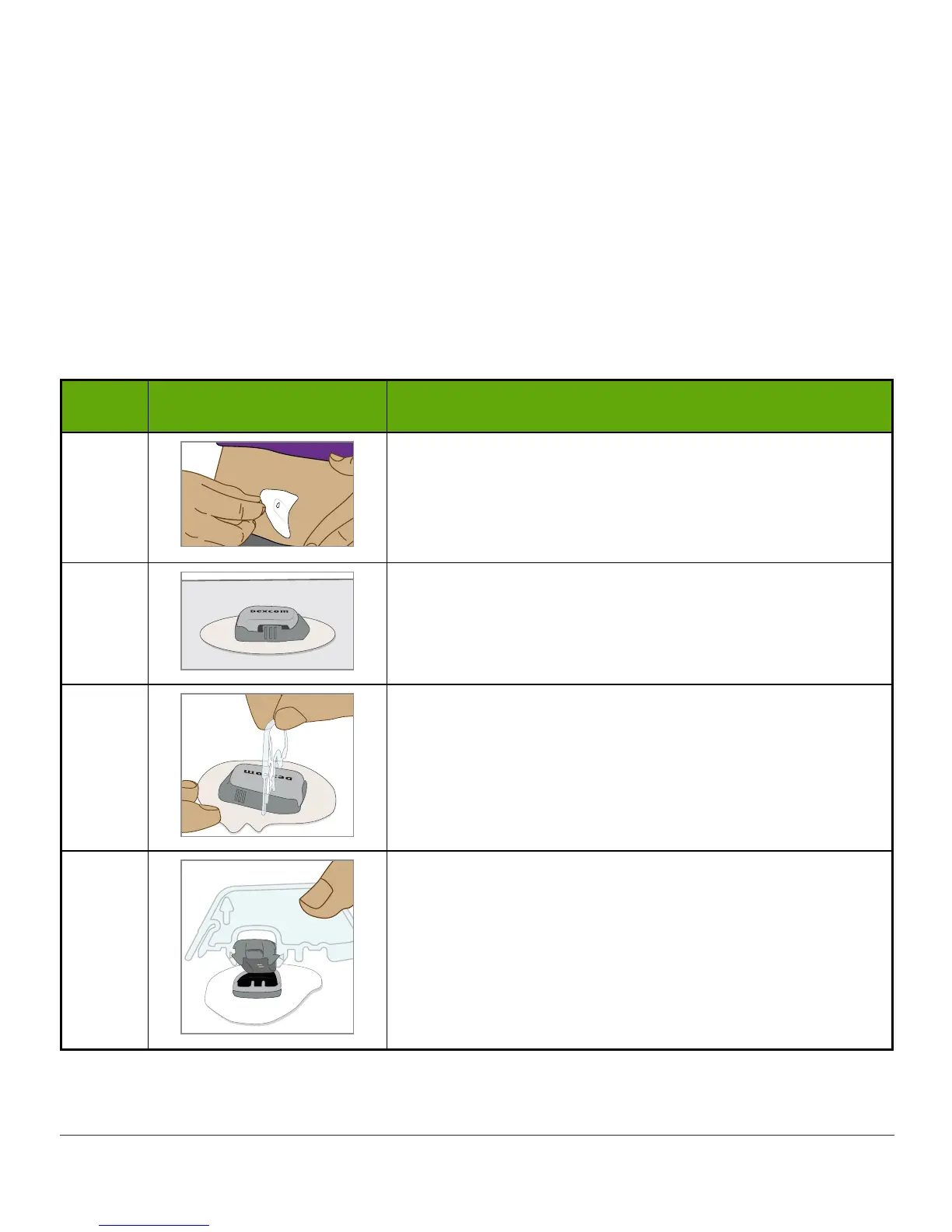
With Safety Lock
Step Picture What you do
1
Grasp end of adhesive patch.
Peel adhesive patch up and away from your body to
remove sensor pod and transmitter.
2
Put sensor pod on flat surface.
3
Place safety lock’s jagged edge:
• Over transmitters wide edge
• In between open slots on sensor pod’s sides
4
Lift up safety lock.



 To Next Page