Dexcom G5 Mobile System User Guide
173Home Screen, Rate of Change Arrows, and Errors
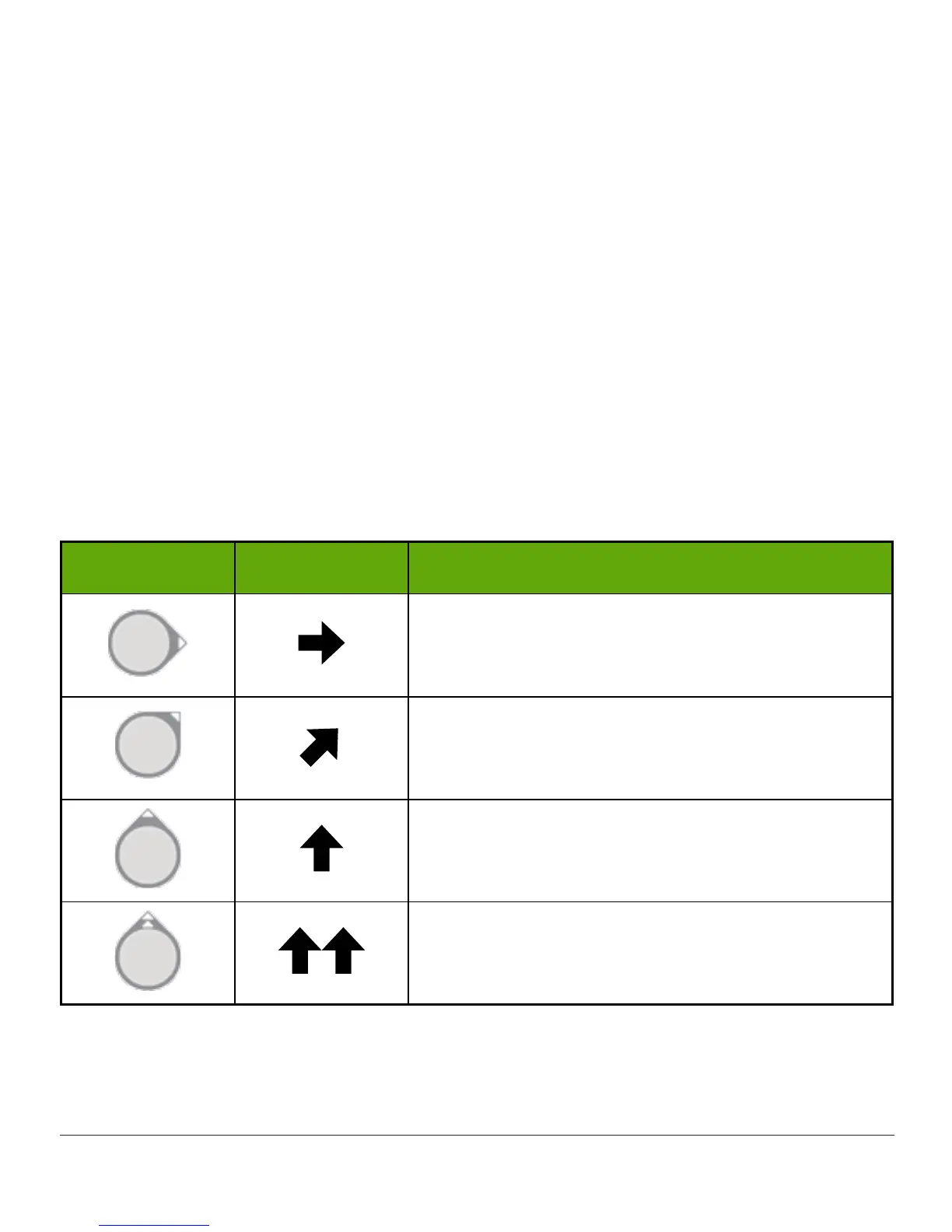
9.4 Rate of Change Arrows
Not sure how your sensor glucose readings are trending?
Rate of change arrows show the speed and direction of your glucose trends based on the last
several sensor glucose readings. Arrows and the trend graph help you know when to take
action before you are too high or too low.
You need a rate of change arrow when using your Dexcom G5 to make treatment decisions.
However, before doing anything, think about your most recent insulin dosing, food intake,
overall trend graph, and current sensor glucose reading. Don’t overreact to the arrows.
For more information on using your Dexcom G5 Mobile for treatment decisions, please see
Chapter 13.
Remember, the arrows don’t reflect your latest reading: they reflect a combination of recent
readings.
Rate of Change Arrows
App Receiver What your glucose is doing
Glucose is steady.
Not increasing/decreasing more than 1 mg/dL per
minute or up to 15 mg/dL in 15 minutes.
Glucose is slowly rising 1-2 mg/dL each minute or
up to 30 mg/dL in 15 minutes.
Glucose is rising 2-3 mg/dL each minute or up to
45 mg/dL in 15 minutes.
Glucose is rapidly rising more than 3 mg/dL each
minute or more than 45 mg/dL in 15 minutes.
(Continued on next page)



 To Next Page