Dexcom G5 Mobile System User Guide
95Starting a Sensor Session: Inserting Sensor, Transmitter, and Starting Your Session
Receiver: Starting a Session
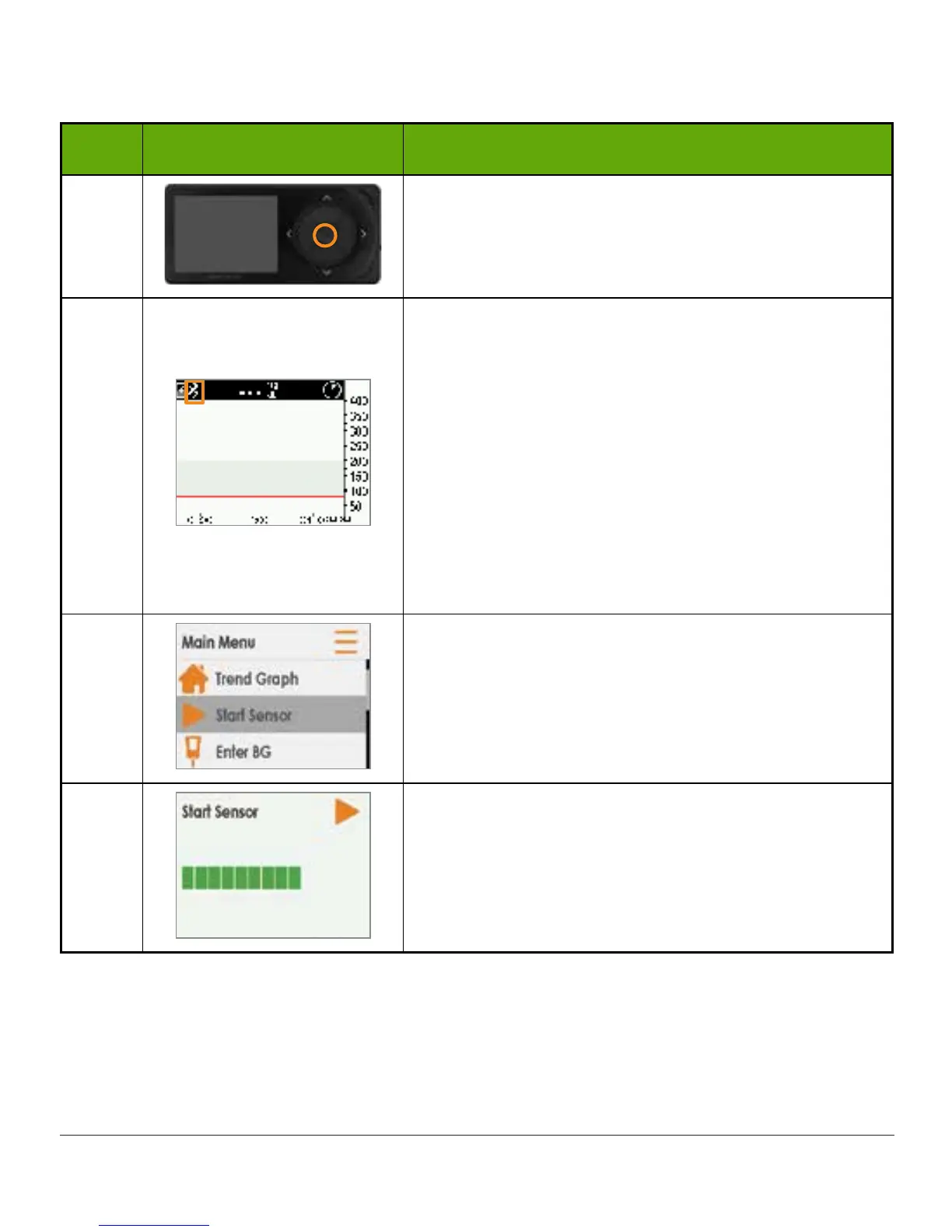
Step What you see What you do
1
Press select button to turn on receiver.
2
Make sure receiver and transmitter are connected/
paired before starting sensor session.
Check receiver 10 minutes after starting for
Bluetooth icon.
• Solid: Connected/paired
• Blinking: Searching/not paired
Don’t start a sensor session until they are paired.
Once connected/paired:
Press select button to go to Main Menu.
3
Press down arrow to highlight Start Sensor.
Press select button to start new sensor session.
NOTE: After sensor starts, Start Sensor option
disappears.
4
Start Sensor progress bar confirms two-hour
sensor warmup.
Keep your receiver within 20 feet during the
warmup period.
(Continued on next page)



 To Next Page