If a device with same interface details appears both in “Favorite Devices” and in
“Discovered Devices” groups, it does not matters in which group you select this
device.
3.1.2 Setting up the Device
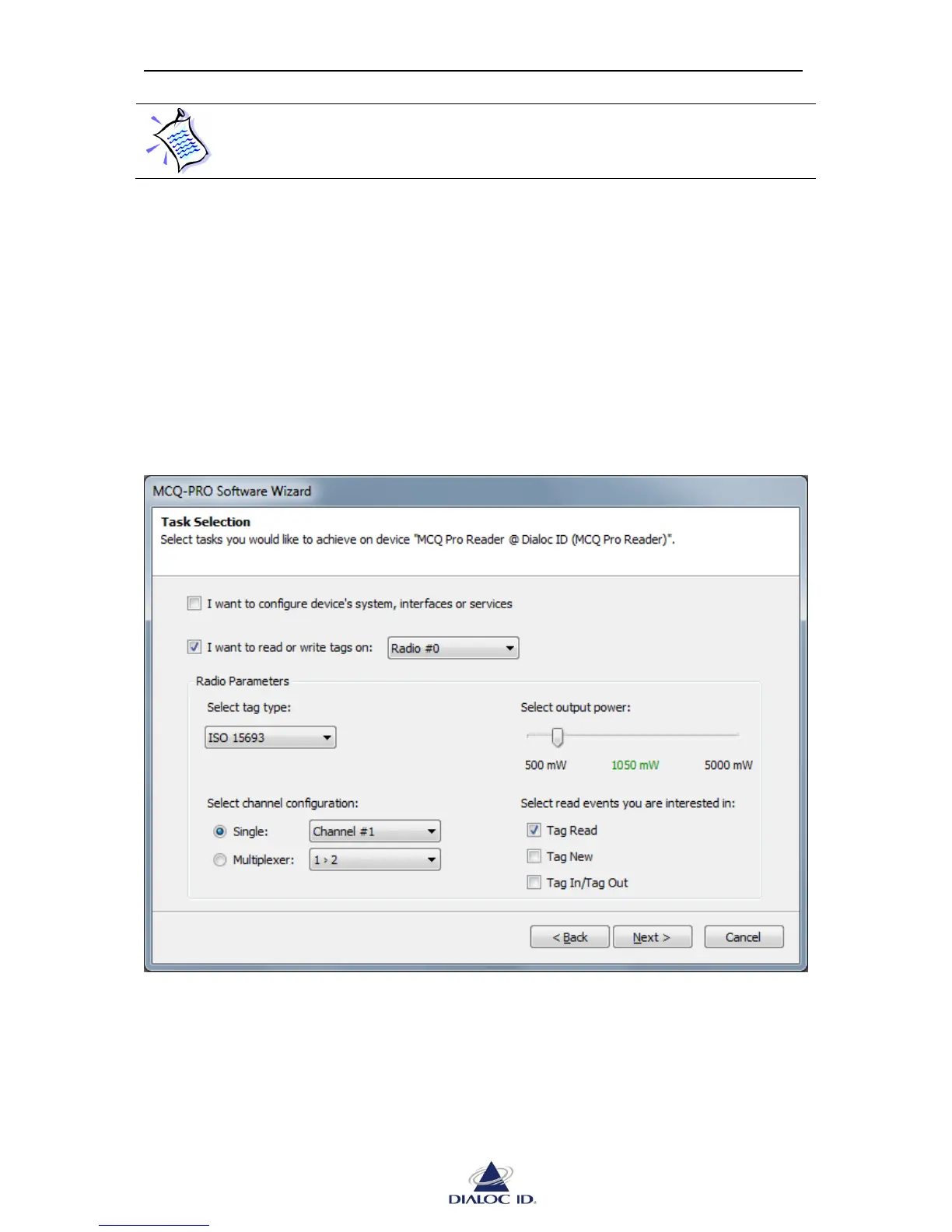
To change device’s description or communication settings, check “I want to configure
device’s system, interfaces or services”.
To perform read/write operations and send tag specific commands, check “I want to read or
write tags on”, then select the radio that should be used to perform RFID related operation.
Note that most RFID devices have only one radio.
In “Radio Parameters” section, select settings to use for radio communication.
Figure 7: Task Selection page
To test your RFID device, select the same settings as in previous figure. Then, click “Next >”.



 To Next Page