MCQ-PRO RFID Reader — Installation and Tuning Manual Version 1.00
Page 29 of 89
To disconnect from a device, perform the same steps but click on the icon or right-click
the device and select “Disconnect from Device”.
To reboot a device, perform the same steps but click on the icon or right-click the device
and select “Reboot Device”.
5.1.4 Getting Device Information
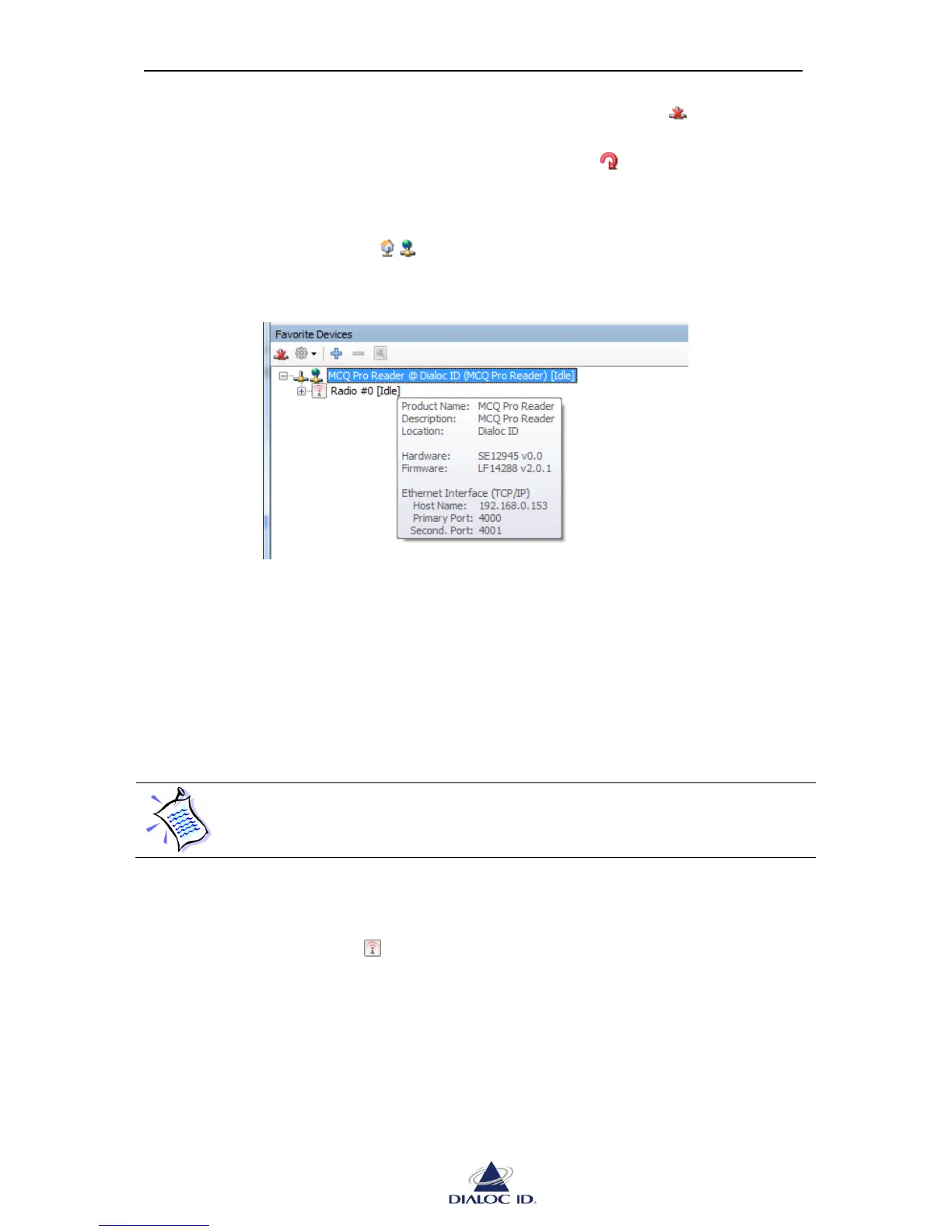
You can point out a device icon ( ) to get its information.
Figure 18: Device Information
Product Name: DIALOC ID RFID device product name.
Description and Location: give custom information set for this device. They can be set in
“System Configuration” panel; see section 6.1 for more information.
Hardware and Firmware: give hardware and firmware version.
Serial Interface or Ethernet Interface: These sections give connection information
currently used to connect to the device.
If you swap a device plugged into your computer’s serial or USB ports with
another device, information about the device will be refreshed only when
connecting to it.



 To Next Page