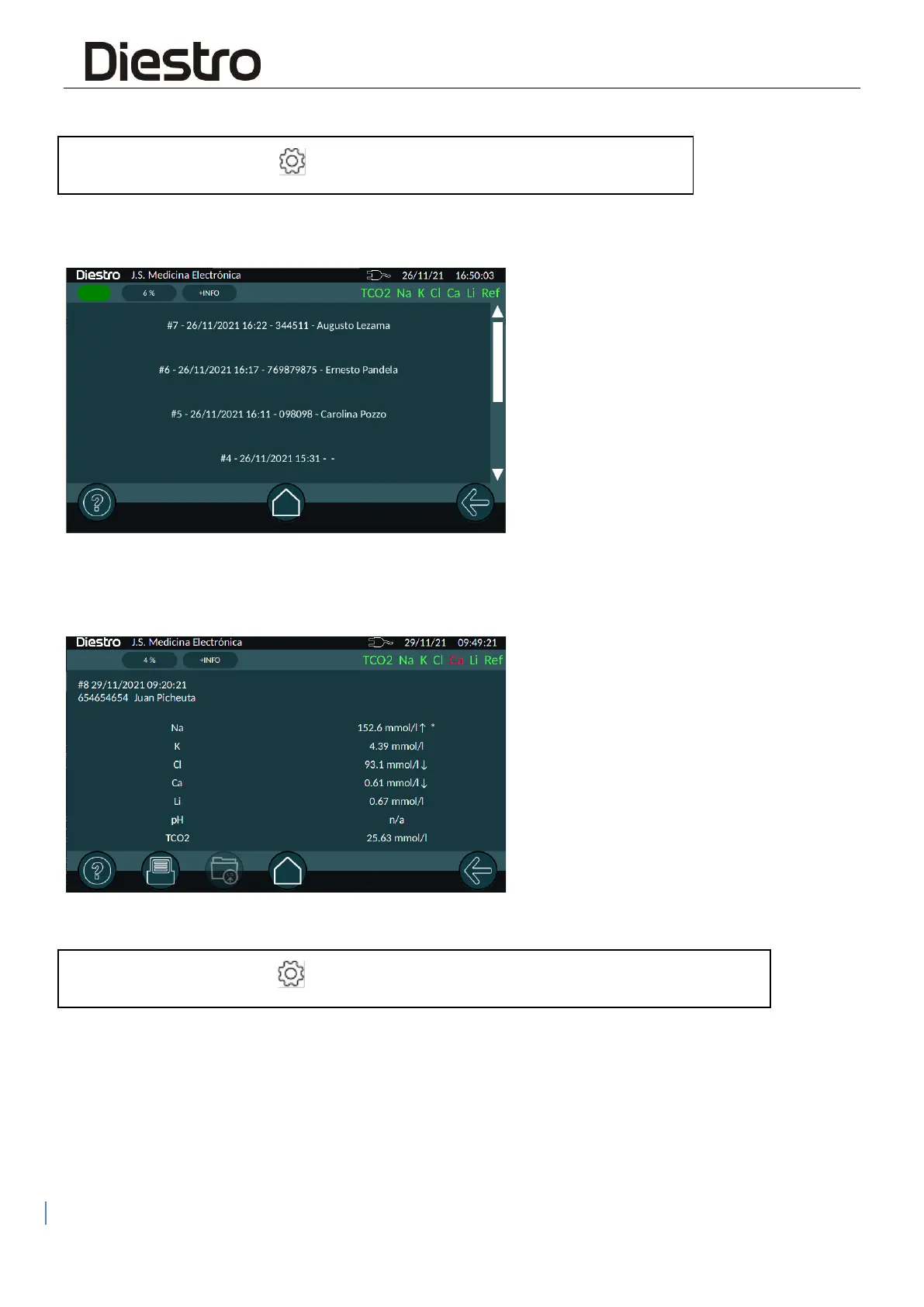
Here we can select the measurement we want to see, they appear ordered chronologically,
indicating order number, date, time, id and name.
Once the study we want to bring has been selected, the results will be displayed and it will be
allowed to print if necessary by pressing the "Printer" button.
Also, if enabled, you can send the result to the LIS by pressing the corresponding button.
3. SAMPLER RESULTS HISTORY
Here we find grouped the measurements made with the sampler, a session number, date and
time will identify each sampler run.


 To Next Page