DIESTRO 103APV4R ELECTROLYTE ANALYZER
60 JS Medicina Electrónica
5. NORMAL VALUES
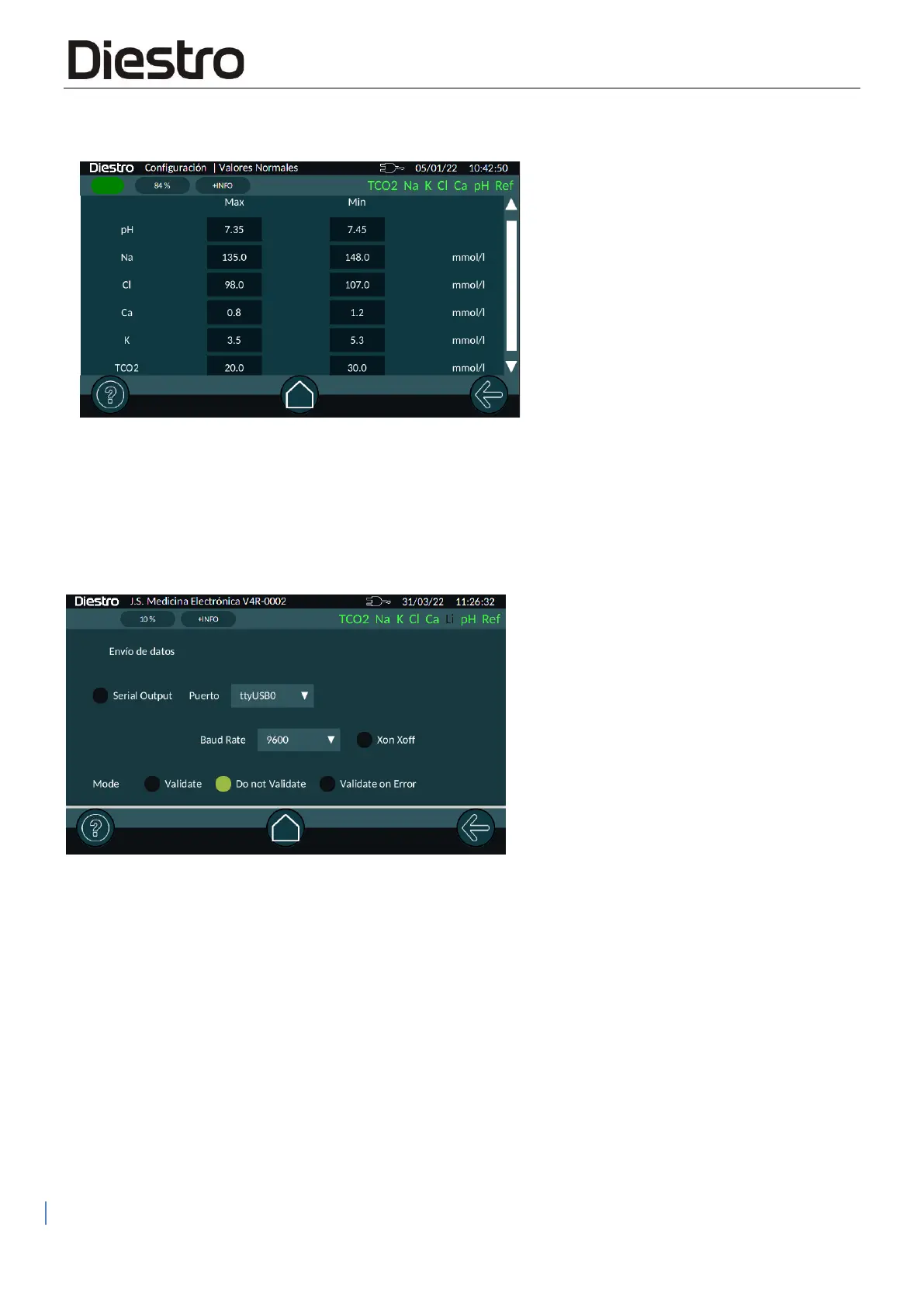
This screen allows you to edit the lower and upper bound values considered "normal" by the
analyzer. If any measurement falls outside these values it will be marked with a down or up
arrow depending on whether it is below or above the limit.
6. CONNECTIONS
Here you can enable serial output, choose the port to use and the speed and protocol used.
Serial output (RS232 via a USB->SERIAL converter attached to the USB port on your analyzer)
allows you to connect the analyzer to a printer or other type of device (for example, a PC or LIS
data network). See chapter "SERIAL PORT OUTPUT CONFIGURATION FOR LIS
INTERFACE" for a detailed explanation.


 To Next Page