UTM-00339 | Rev 19
Page 100 of 253
DetNet South Africa Copyright © 2021
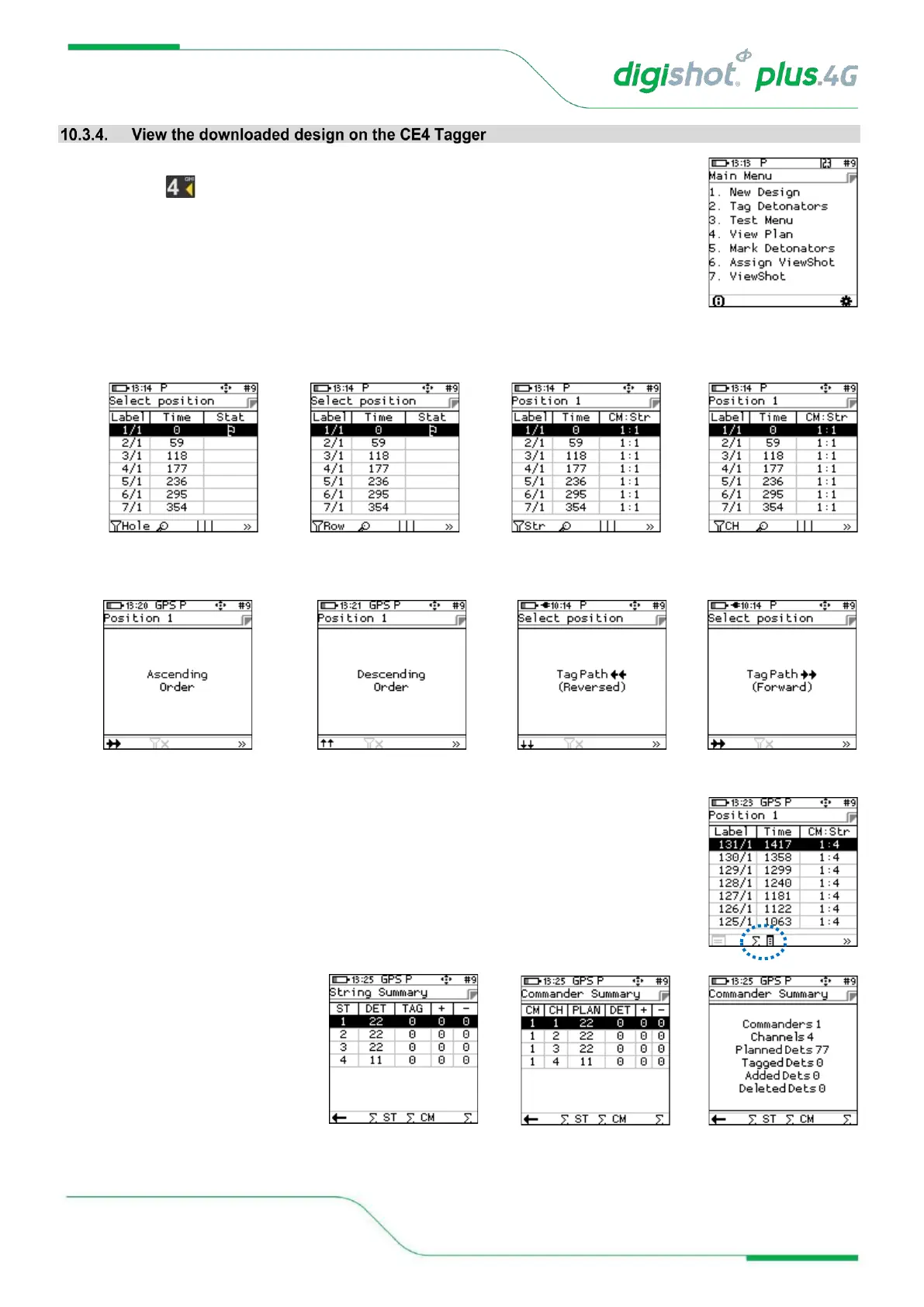
1. From the Main Menu
• Press to select View Plan.
2. View Plan
• The ViewShot 3D plan will be displayed as a list.
3. Users may also sort the list into the different orders as displayed by selecting the sorting Soft-Key.
4. Users may exercise the functions on the Soft-Keys such as “Plan Summary” to check
that all the detonators are captured in the plan.
5. Plan Summary screen will be
displayed



 To Next Page