UTM-00339 | Rev 19
Page 104 of 253
DetNet South Africa Copyright © 2021
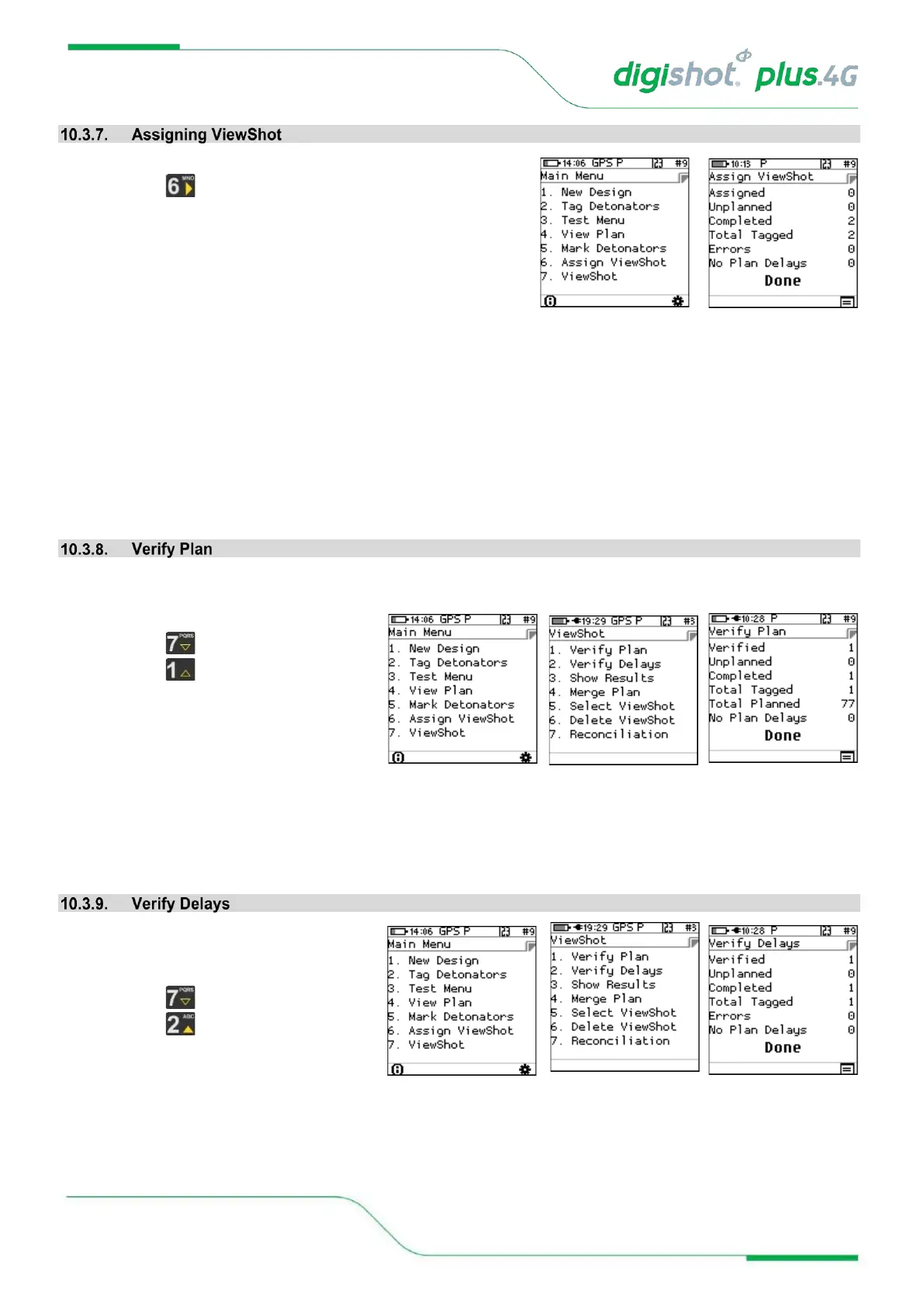
From the Main Menu
• Press to select Assign ViewShot.
When the locations have been tagged separately, the detonators will not be ready to be connected to the
Commander.
To deploy the delays, the Tagger needs a plan (with updated delays) that matches the actual locations already
deployed.
By executing “Assign ViewShot” from the main menu, the Tagger will check every detonator recorded in the “tagged
list” against the ViewShot plan (loaded on the Tagger). If the delay in the detonator does not match the plan, the
new delay will be tagged in the detonator and the ViewShot plan will be updated with a checked mark against the
matching record.
This menu option is only available for the “Planned” mode context.
From the Main Menu
• Press to select ViewShot
• Press to select Verify Plan.
The list of tagged detonators is compared with the actual plan. The user can view the updates in the “View
Plan“ menu. All detonators that do not match the plan are flagged in the list (Listed as new and indicated by asterisk).
Matching positions are also marked off as completed, (a checked sign) if location and delay are matched and just a
tag symbol if only location is matched but not the delay.
Times as in the Plan correspond to detlist
From the Main Menu
• Press to select ViewShot
• Press to select Verify Plan.



 To Next Page