UTM-00339 | Rev 19
Page 106 of 253
DetNet South Africa Copyright © 2021
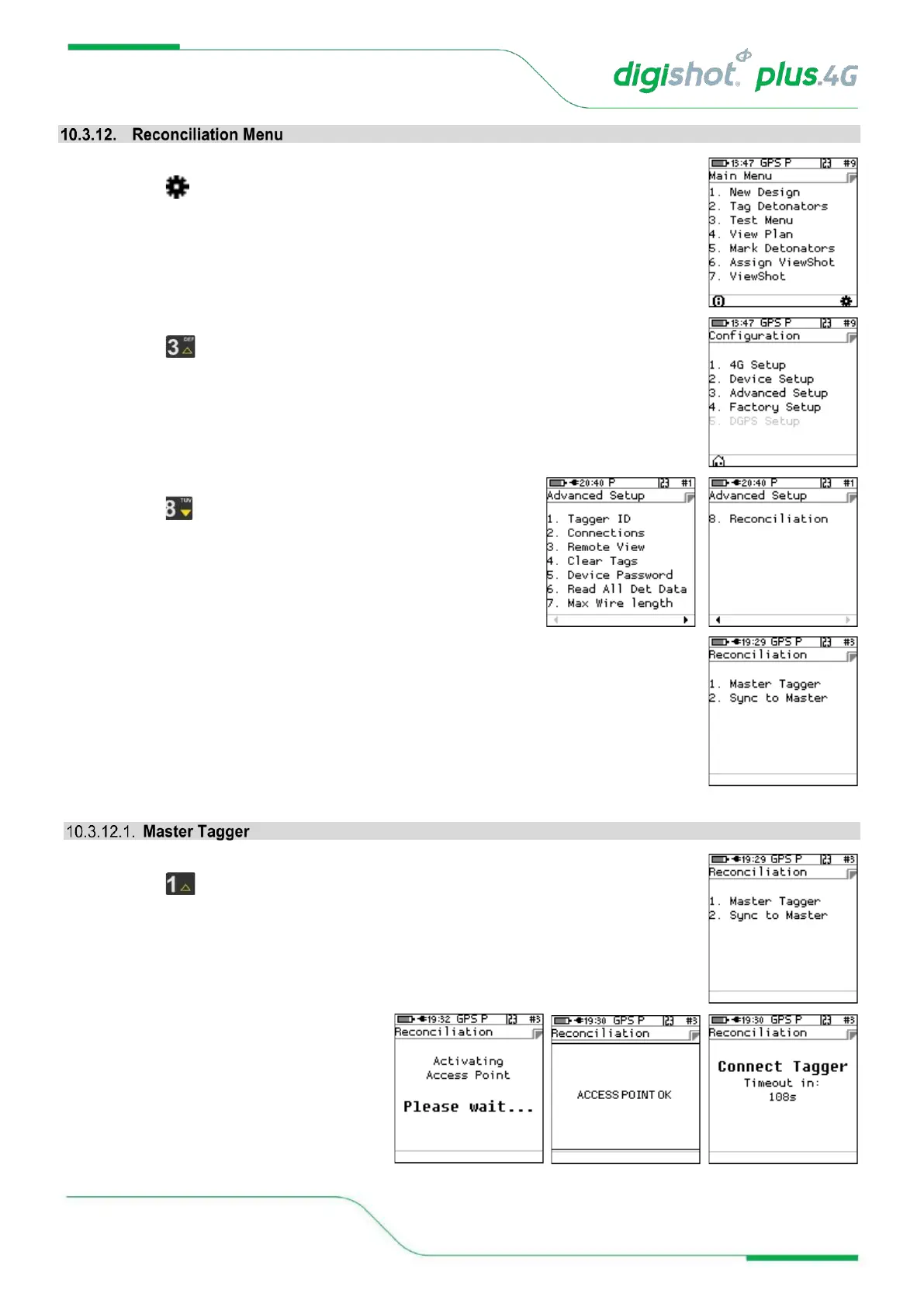
1. Main Menu
• Press SoftKey to select Configuration Settings.
2. Configuration Settings Menu
• Press to select Advanced Setup.
3. Advanced Setup Menu
• Press to select Reconciliation
4. Reconciliation Tagger Menu
• User can select Master Tagger and Sync to Master (Slave Tagger)
1. Reconciliation Tagger Menu
• Press SoftKey to select Master Tagger.
2. Reconciliation Menu
• Tagger activates as an Access Point
• Tagger will display Access Point Ok
• Master Tagger will wait for Slave
Tagger to connect with a timeout of
120 seconds



 To Next Page