UTM-00339 | Rev 19
Page 107 of 253
DetNet South Africa Copyright © 2021
3. Reconciliation Menu
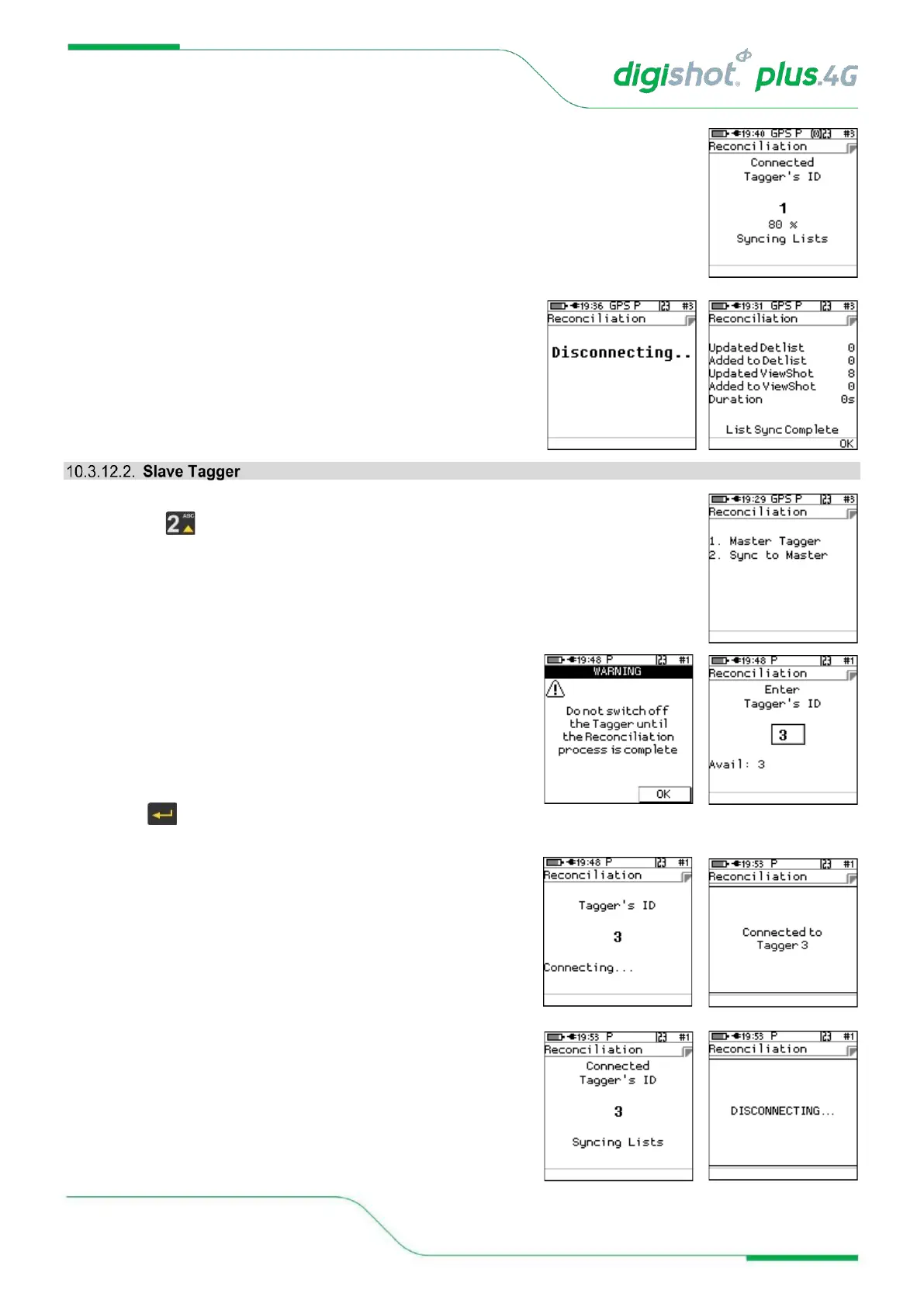
• Once connected the Tagger will start syncing detonators
• When completed, the Tagger will disconnect and display
the total detonators synced.
1. Reconciliation Tagger Menu
• Press SoftKey to select Slave Tagger.
2. Reconciliation Menu
• Warning “Do not switch off the Tagger until the
Reconciliation process is complete” will be displayed on the
Slave Tagger.
• Press OK Softkey to continue
• The available Slave Taggers ID will be displayed, and
Tagger can connect to one Tagger at a time by Pressing
the Button on Tagger.
3. Reconciliation Menu
• Slave Tagger will connect to the Master Tagger
• When connected the Taggers will start syncing lists
• After syncing the Slave will disconnect



 To Next Page