UTM-00339 | Rev 19
Page 108 of 253
DetNet South Africa Copyright © 2021
The Advanced Tagging option is used in situations where there is only a paper plan available and when holes are
decked or multi-primed.
Always clear the list when starting a new tagging process. From the Main Menu, select
New Design and confirm that list needs to be cleared.
The Advanced Mode option, as the name suggests, includes more features than the Basic Mode as it allows for
multi-primed holes and the user will need to control several parameters within this mode. To define a hole
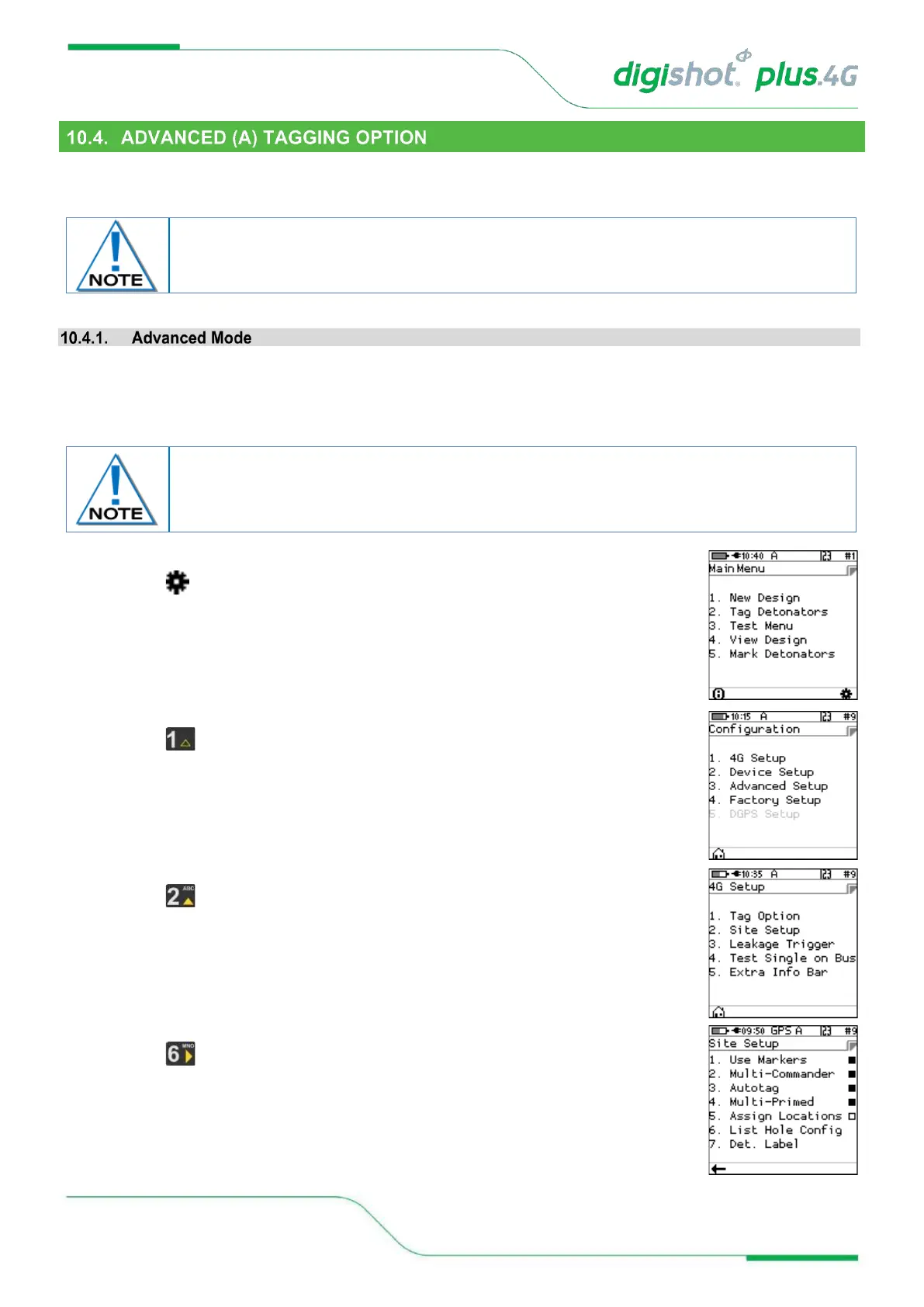
configuration the “Site Setup” screen needs to be accessed.
1. From Main Menu
• Press SoftKey to go to Configuration Menu
2. From Configuration Menu
• Press 4G Setup
3. From 4G Setup Menu
• Press Site Setup
4. From Site Setup Menu
• Press to select List Hole Config (Configuration)
The Advanced Mode option is NOT recommended if the user does NOT have a paper plan.
The emphasis with this tagging option is on DELAY, since location is used for tracking
purposes.



 To Next Page