UTM-00339 | Rev 19
Page 109 of 253
DetNet South Africa Copyright © 2021
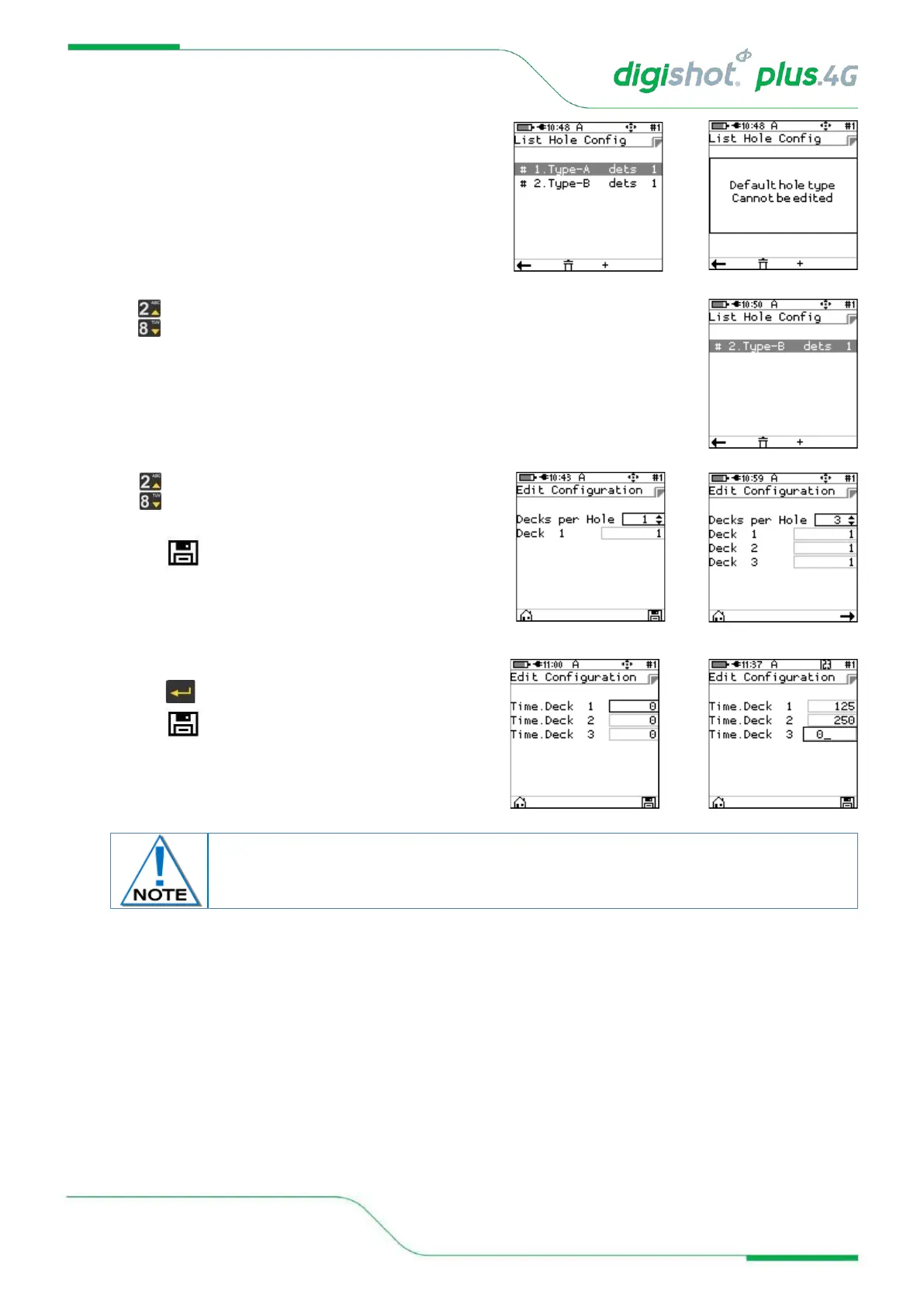
5. Press + SoftKey to add to the list of hole templates
• Note that the Default hole type cannot be edited
6. Press up/down arrows to select the required List
• Press ENTER key to continue
7. Press up/down arrows to select the number of Decks
per Hole (Maximum of 6 allowed)
• Press to save
• Press ➔ key to continue
• Use Keypad to enter Time per deck
• Press to continue to next Time
• Press to save
The detonators should be counted from the bottom of the hole up i.e. Detonator 1 is
located at the bottom of the hole or in the bottom deck by convention.



 To Next Page