UTM-00339 | Rev 19
Page 110 of 253
DetNet South Africa Copyright © 2021
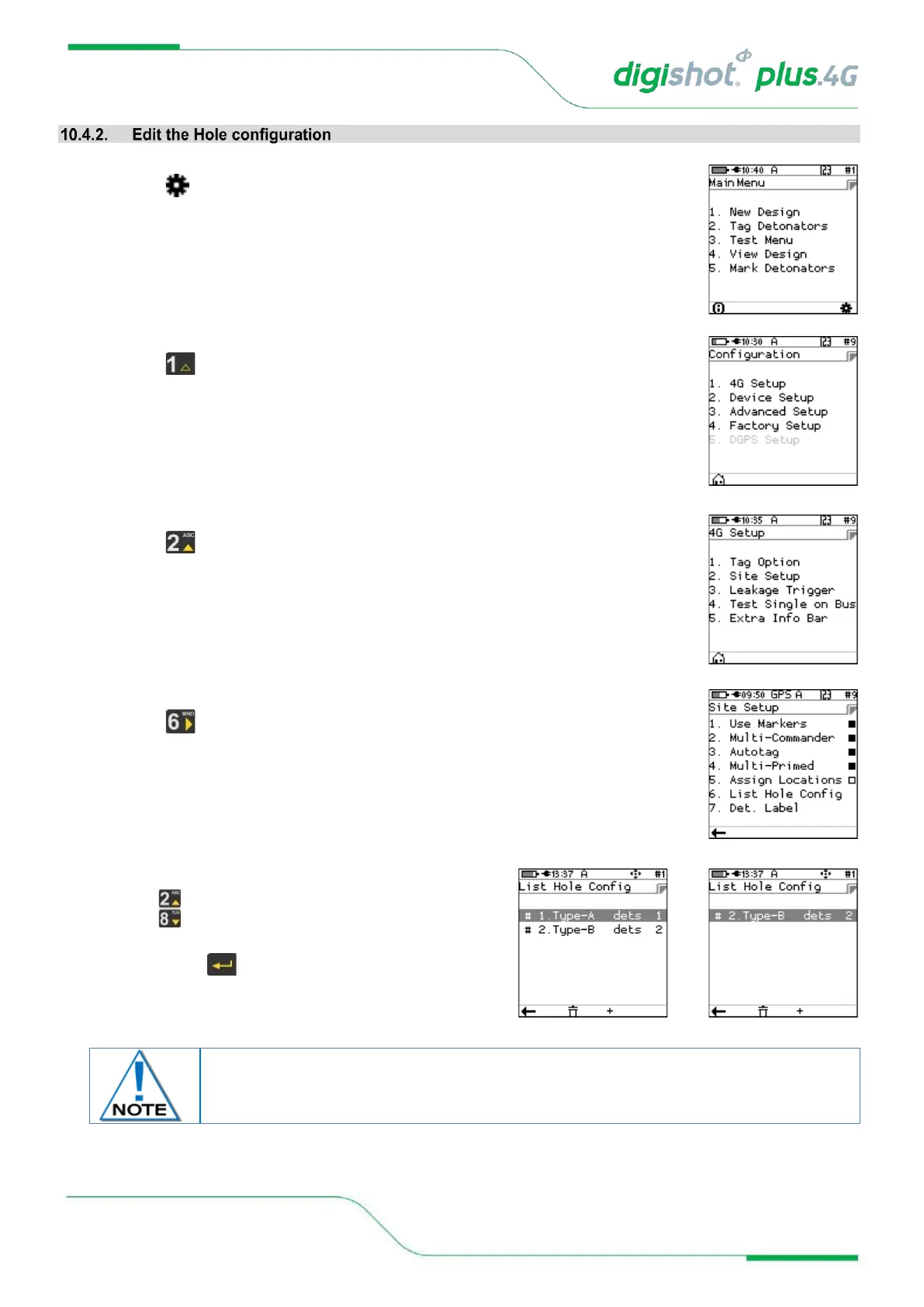
1. From Main Menu
• Press SoftKey to go to Configuration Menu
2. From Configuration Menu
• Press 4G Setup
3. From 4G Setup Menu
• Press Site Setup
4. From Site Setup Menu
• Press to select List Hole Config (Configuration)
5. List Hole Config screen will be displayed (after creation)
• Use up/down arrow keys to select the required
option
• Press Enter to select.



 To Next Page