UTM-00339 | Rev 19
Page 117 of 253
DetNet South Africa Copyright © 2021
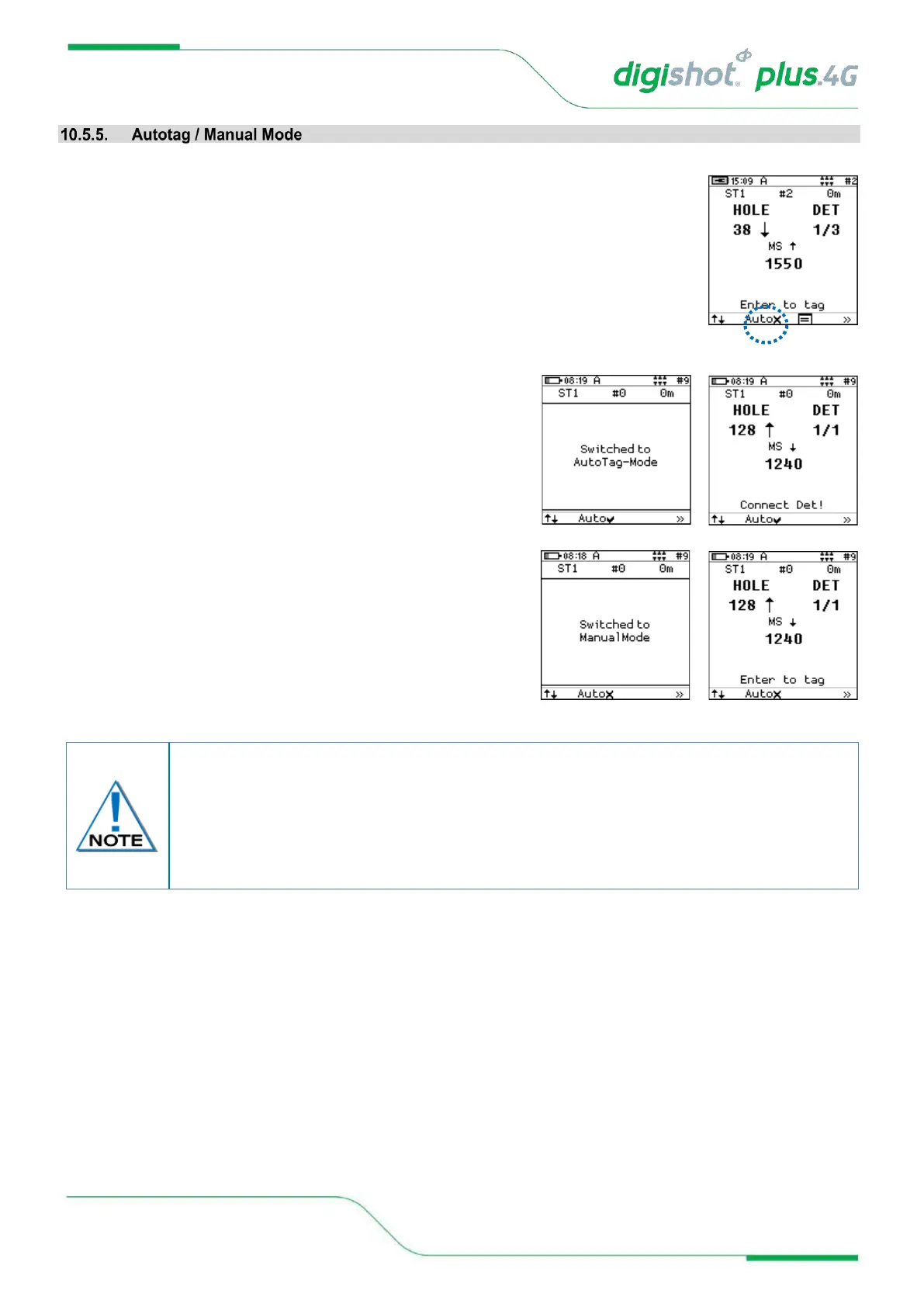
1. From Advanced Tagging Screen
• Press either the AutoX (Auto OFF) or Auto✓ (Auto ON) SoftKey as displayed to
toggle the Autotag Mode
• Press AutoX SoftKey to toggle between Autotag and
Manual Mode
• Auto✓ indicates Autotag ON
• AutoX indicates Manual Mode (Autotag OFF)
When using Autotag ON mode, the detonators may be directly connected to the wire bus
and only untagged detonators will be searched for.
When Autotag is OFF, connect the detonator to the pogo pins to tag. In Autotag OFF
mode, any detonator can be re-tagged (i.e. any detonator can be detected).
Retagging is not possible if Autotag is turned ON.



 To Next Page