UTM-00339 | Rev 19
Page 124 of 253
DetNet South Africa Copyright © 2021
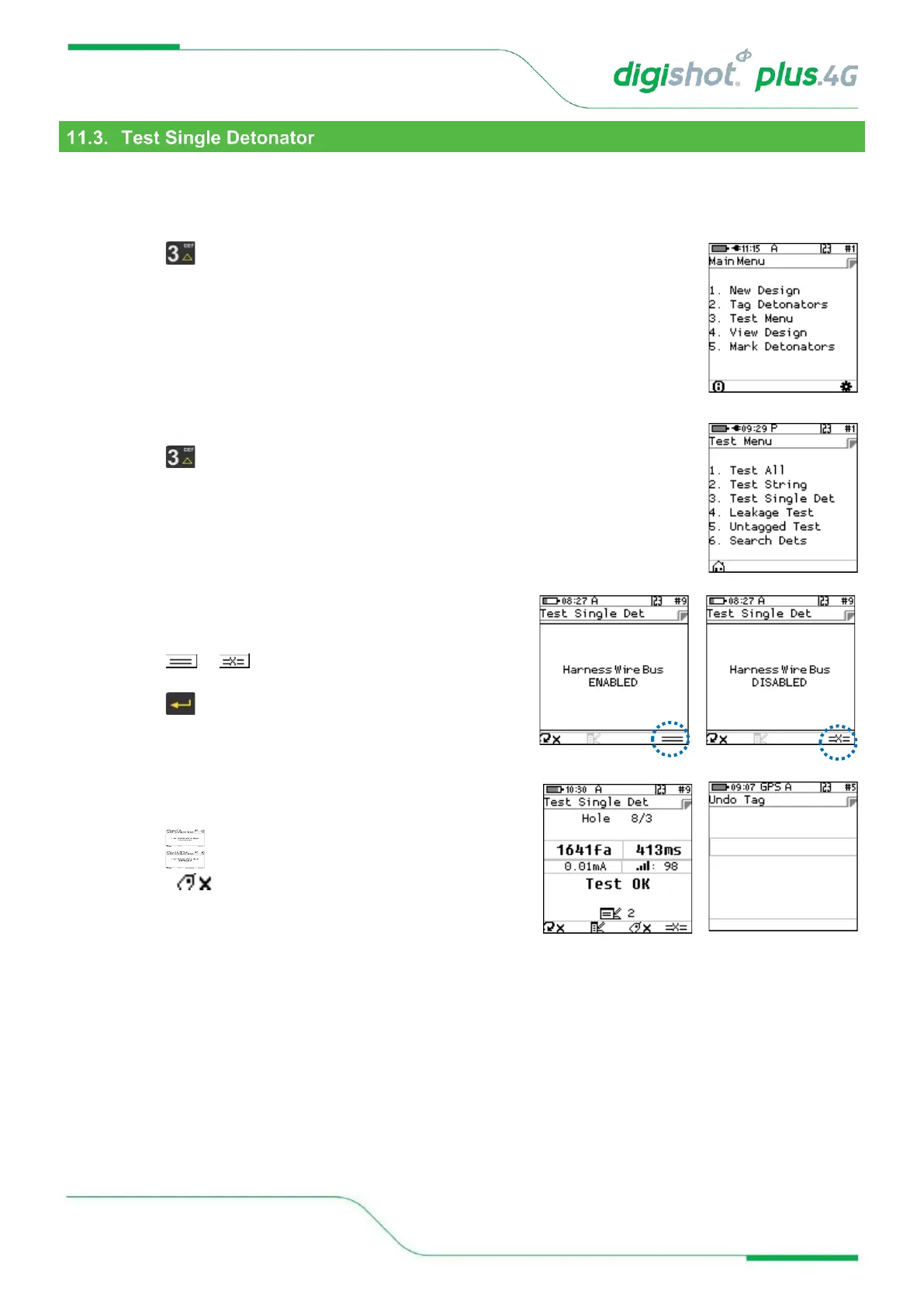
From the test menu, the user will have the option to test a single detonator connected either to the POGO Pins
Only or to the POGO Pins and Harness wire.
1. Main Menu
• Press SoftKey to select Test Menu.
2. Test Menu
• Press SoftKey to select Test Single Det.
3. Test Single Det
• Connect Detonator to CE4 Tagger
• Press or to toggle selection
• Connect the required single detonator to be tested
• Press to test
• Detonator will be tested
• Results will be displayed
• Press SoftKey to continuously repeat test.
• Press SoftKey to stop continuously repeating test
• Press SoftKey to untag the detonator



 To Next Page