UTM-00339 | Rev 19
Page 123 of 253
DetNet South Africa Copyright © 2021
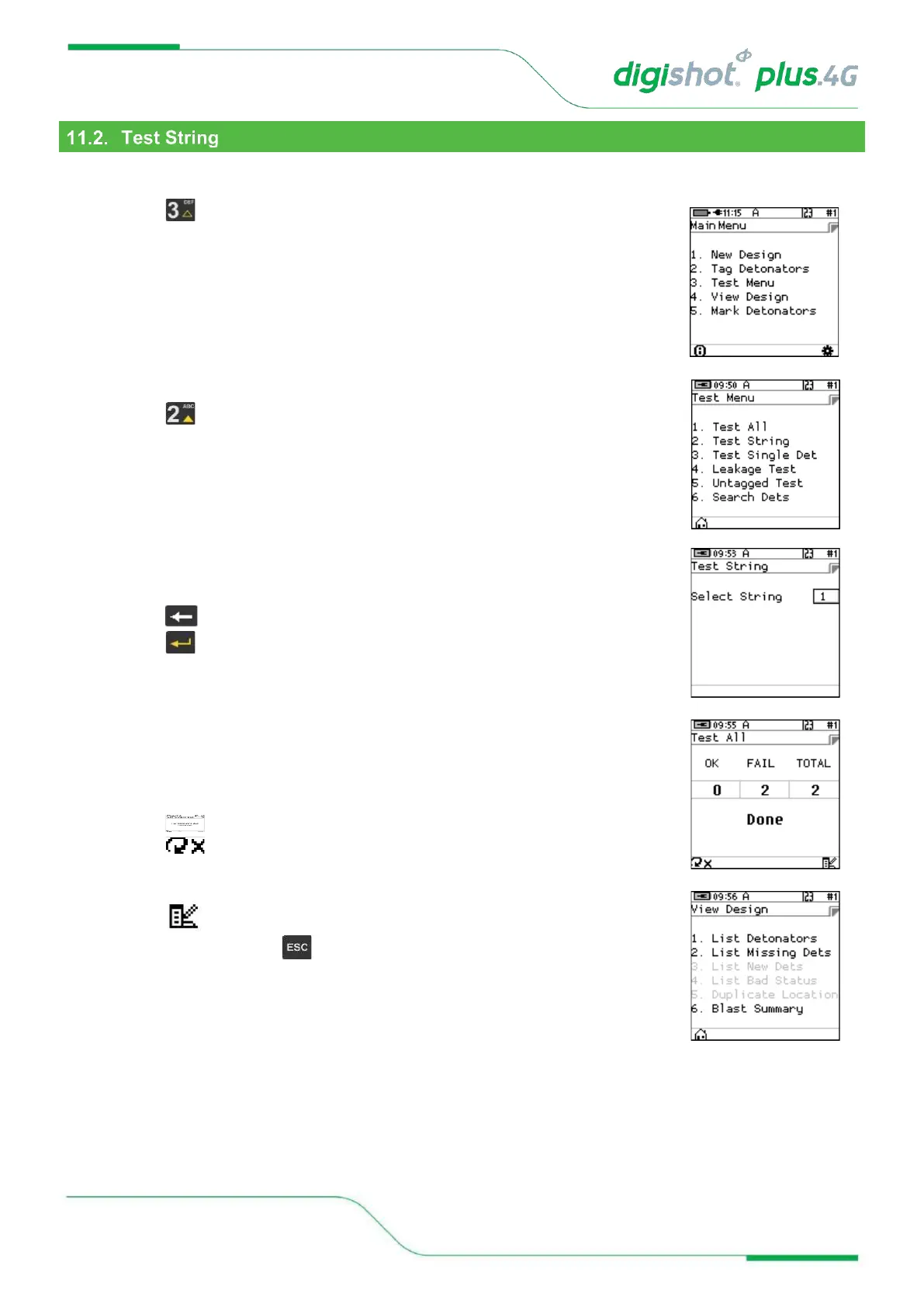
From the test menu, the user will have the option to test all the detonators connected to a String
1. Main Menu
• Press SoftKey to select Test Menu.
2. Test Menu
• Press SoftKey to select Test String.
3. Test String
• Enter required String number
• Press to clear and re-enter required string number
• Press to continue
• CE4 Tagger will Test All Detonators in the selected String.
• Done will be displayed when test all is complete.
4. User may use the following SoftKeys:
• Press SoftKey to continuously repeat test.
• Press SoftKey to stop continuously repeating test
• Press to View Design
• After Testing press the Key to return to the Test Menu



 To Next Page