UTM-00339 | Rev 19
Page 122 of 253
DetNet South Africa Copyright © 2021
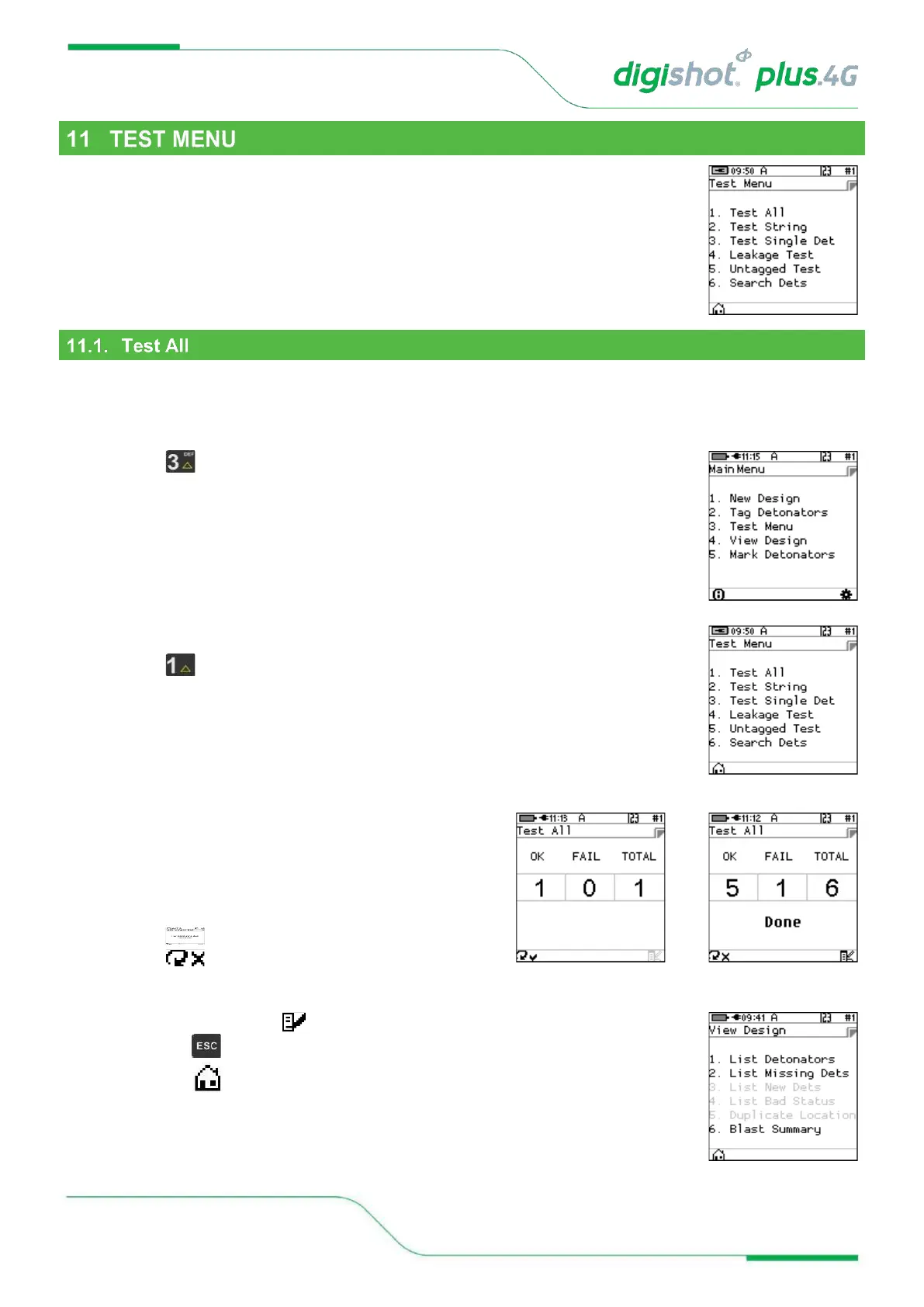
The Test Menu will allow the user to perform the following tests:
1. Test All,
2. Test String
3. Test Single Det
4. Leakage Test,
5. Untagged Test
6. Search Dets
From the test menu, the user will have the option to test all the tagged detonators.
Although the tagger detonator list capacity is equal to a Full Blast Design which can be a maximum of 16000
detonators, the Tagger will only test one string at a time with large blast designs.
1. Main Menu
• Press Key to select Test Menu.
2. Test Menu
• Press Key to select Test All.
3. Test All
• CE4 Tagger will Test All Detonators
• Done will be displayed when test all is complete.
4. User may use the following SoftKeys:
• Press SoftKey to continuously repeat test.
• Press SoftKey to stop continuously repeating
test
• After Testing press the SoftKey to View the design or,
• Press the Key to return to the Test Menu
• Press the Key to return to the Main Menu.



 To Next Page