UTM-00339 | Rev 19
Page 126 of 253
DetNet South Africa Copyright © 2021
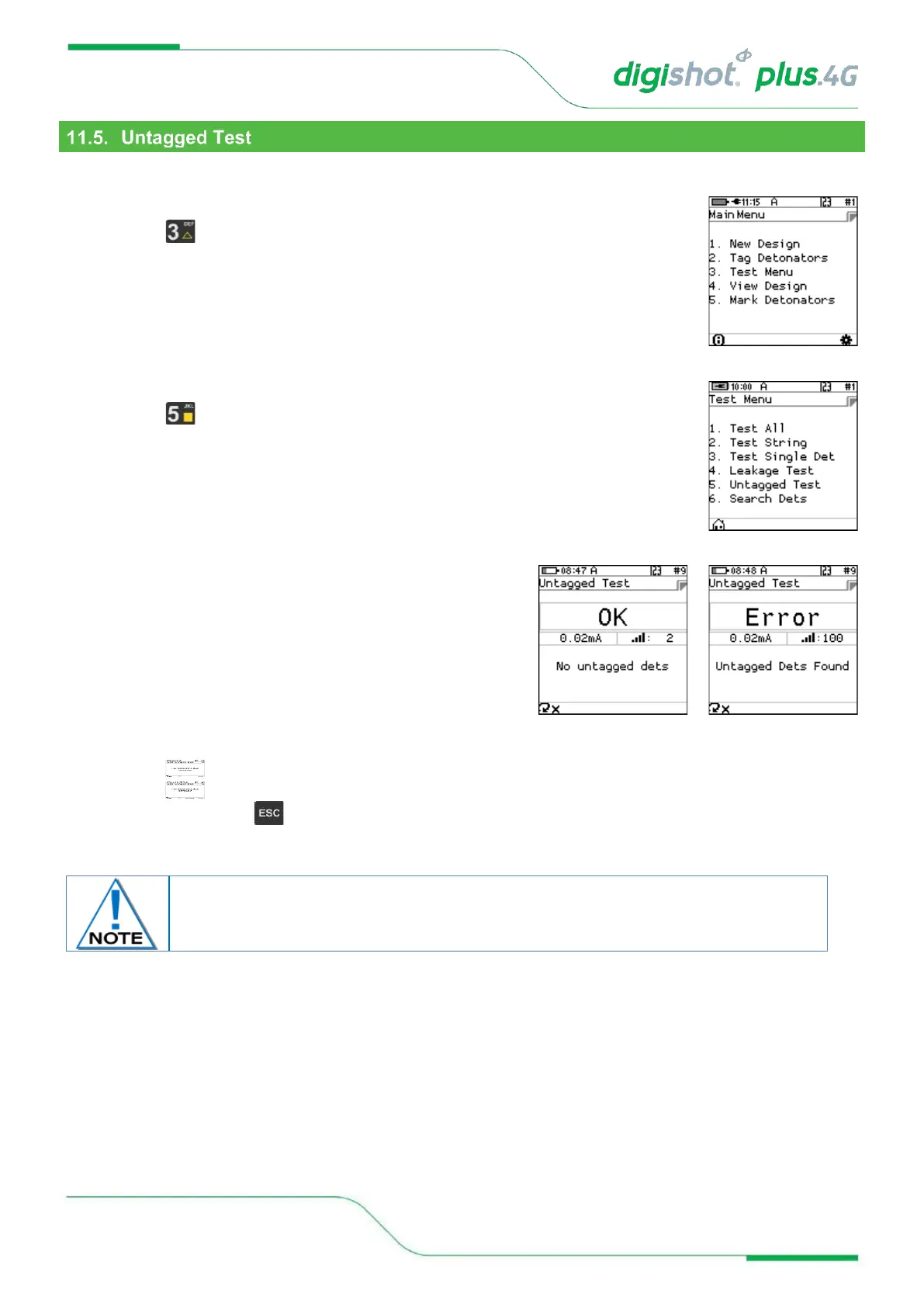
This function enables the user to test for Untagged Detonators connected to the harness wire.
1. Main Menu
• Press SoftKey to select Test Menu.
2. Test Menu
• Press SoftKey to select Untagged Test
3. Untagged Test
• OK message will be displayed when no untagged
detonators are found.
• Error message will be displayed when untagged
detonators are found, and the number of untagged
detonators found will be displayed at the bottom right of
the screen.
4. User may use the following SoftKeys:
• Press SoftKey to continuously repeat test.
• Press SoftKey to stop continuously repeating test
5. After Testing press the Key to return to the Test Menu



 To Next Page