UTM-00339 | Rev 19
Page 127 of 253
DetNet South Africa Copyright © 2021
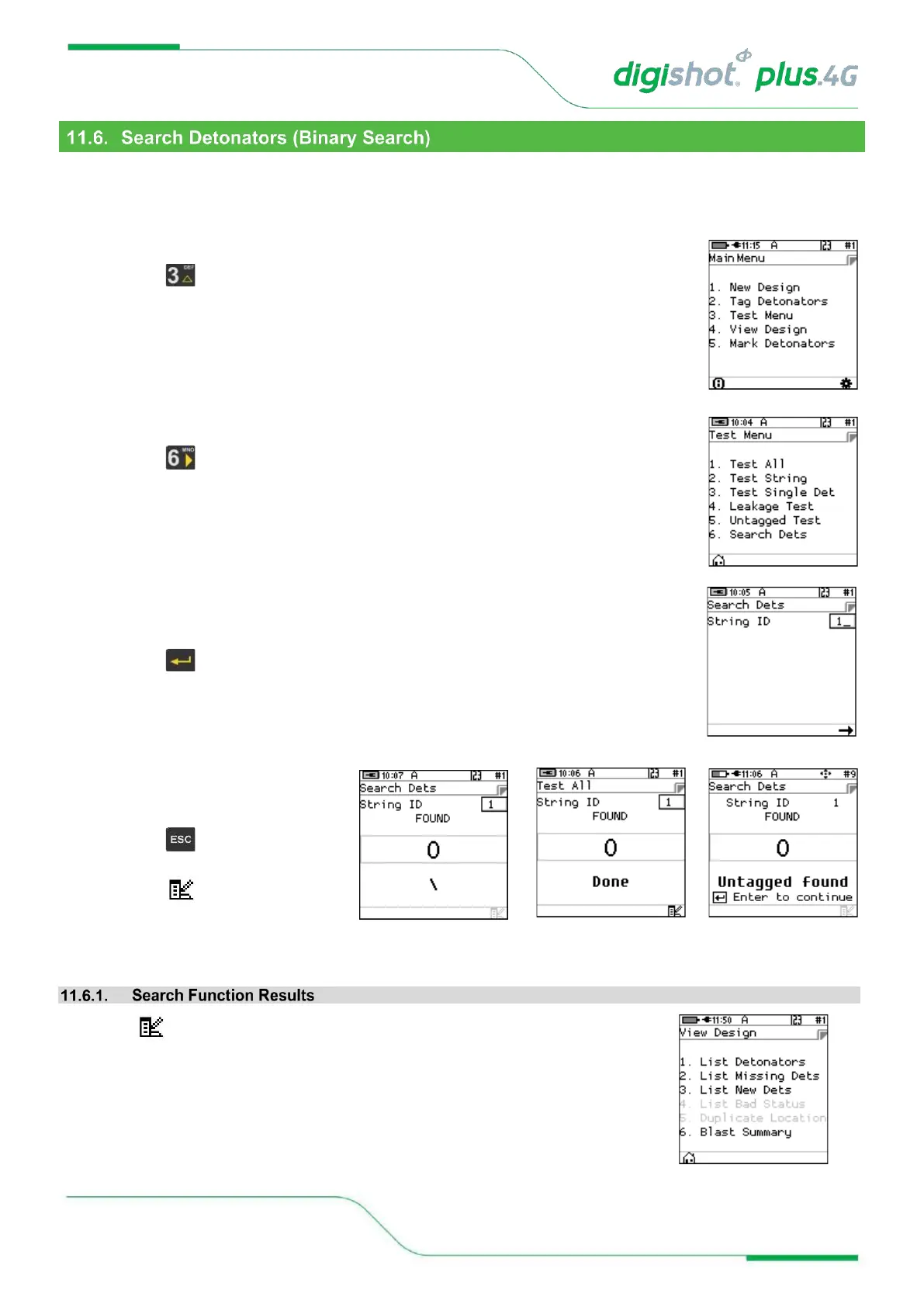
This function enables the user to search for detonators connected to the harness wire. It can be conducted with
any CE4 Tagger and no prior tagged list is necessary. This same function will be performed by the Bench
Commander to discover detonators. The detonators found will be compared with the detonators in the tagged list
and the tagged list will be amended with new detonators if any are found.
1. Main Menu
• Press SoftKey to select Test Menu.
2. Test Menu
• Press SoftKey to select Search Dets
3. Search Dets
• Enter required String ID
• Press to continue
• CE4 Tagger will search for
detonators and display Done
when complete
• Press to return to the Test
Menu
• Press to View Design
Press the SoftKey to check the “Search” results
• The View Design Menu will be displayed
• Refer to Chaper 12 - VIEW in this manual for more information.



 To Next Page