UTM-00339 | Rev 19
Page 141 of 253
DetNet South Africa Copyright © 2021
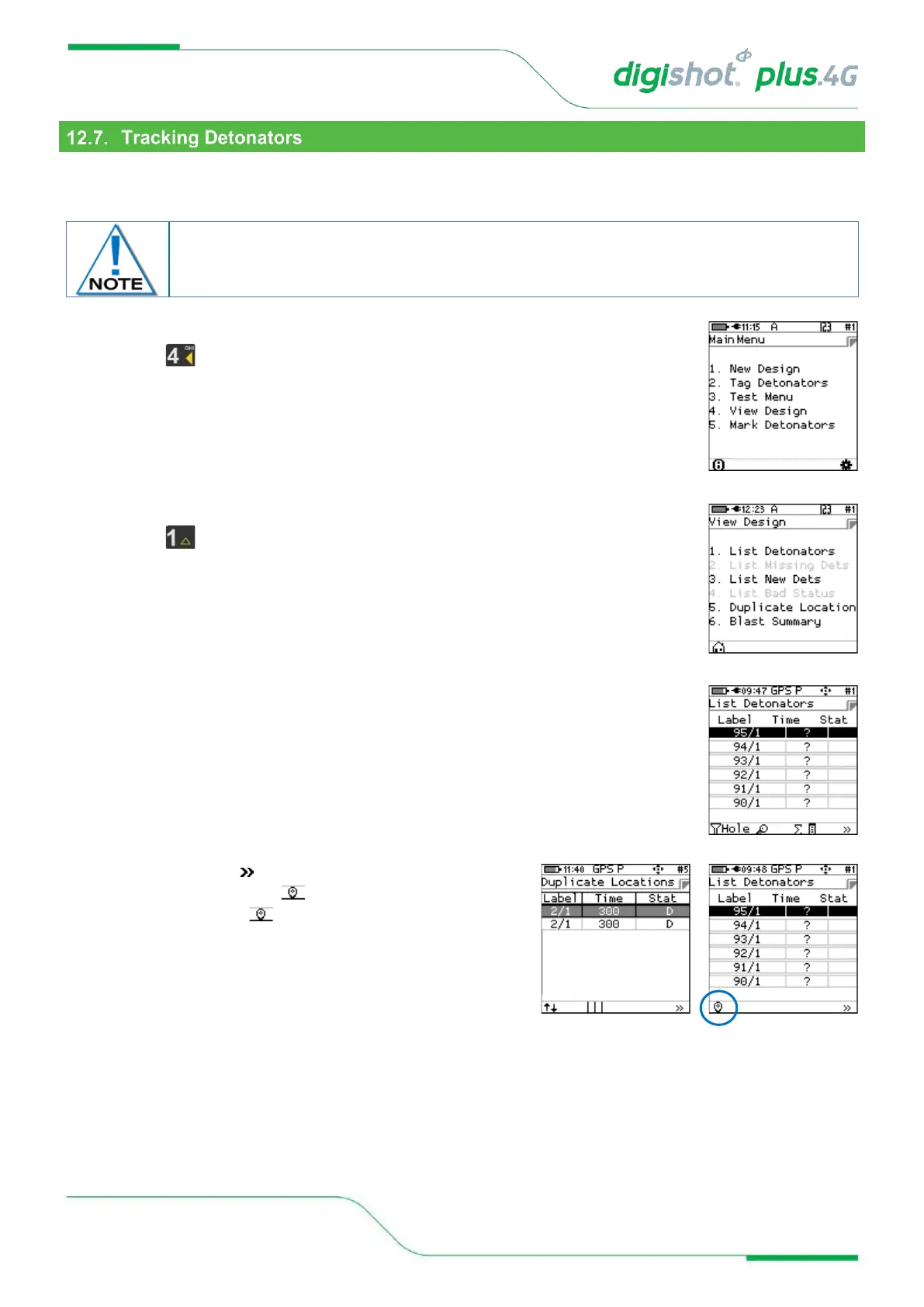
This option will allow the user to track detonators that have been tagged, the user will be directed to the location of
the tagged detonator.
1. From Main Menu
• Press to select View Design
2. From View Design Menu
• Press to select List Detonators
3. Detonator list will be displayed
• Hold the tagger in upright position
• Highlight the Detonator to be tracked from the list. (Selected detonator will be
displayed as highlighted in the top position of the screen).
• Press SoftKey 4 to scroll to next page
• Scroll until the location SoftKey is displayed.
• Press the location SoftKey to select
The detonators can only be tracked using the same Tagger that it was tagged with and a
GPS signal was available during the initial tagging and is available to track the detonator.



 To Next Page