UTM-00339 | Rev 19
Page 140 of 253
DetNet South Africa Copyright © 2021
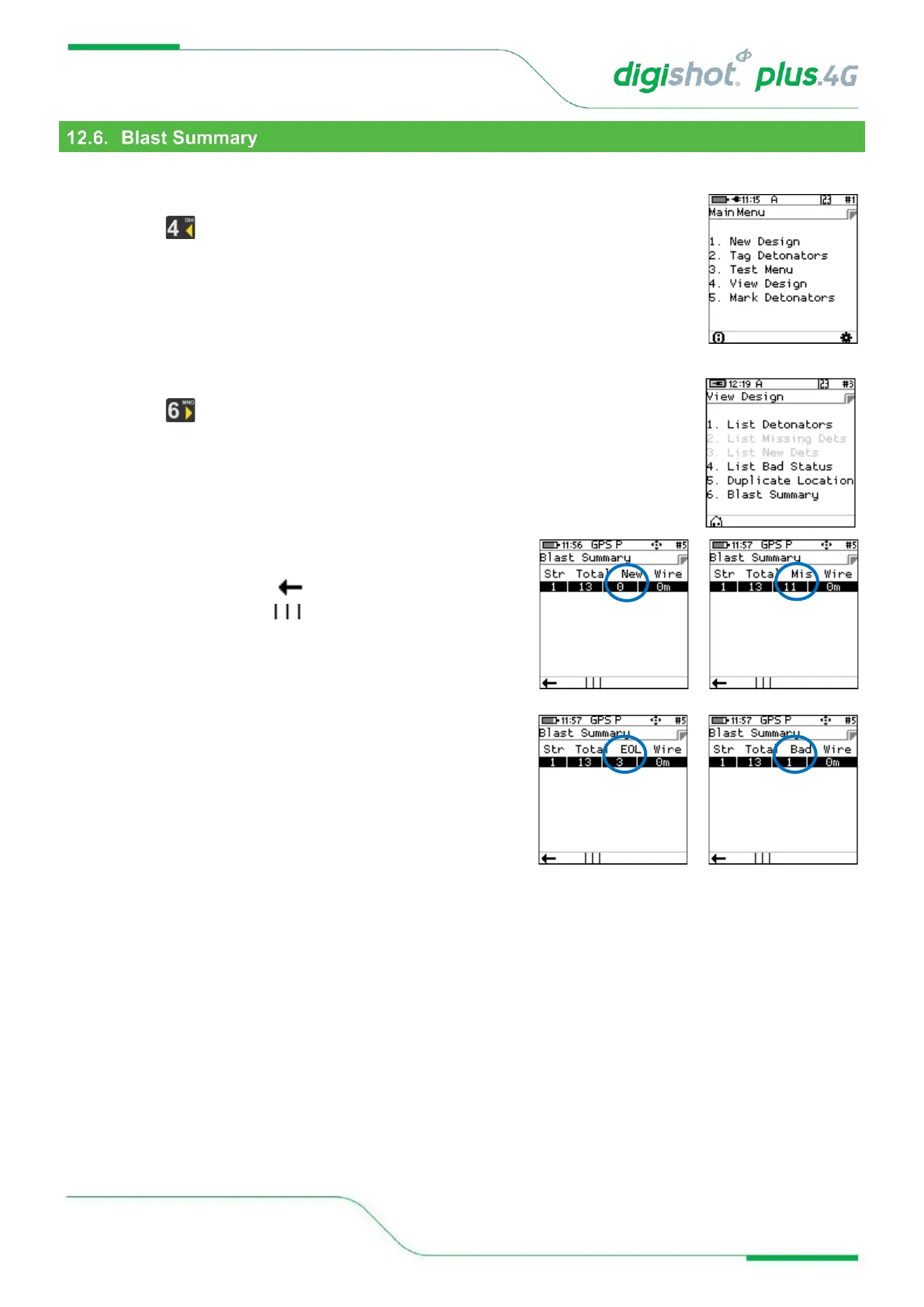
The Blast Summary function enables the user to view a blast summary per channel.
1. Main Menu
• Press to select View Design
2. View Design Menu
• Press SoftKey to select Blast Summary
3. The Blast Summary screen will be displayed
4. Press the Back SoftKey to page back to previous screen
5. Press the Info SoftKey to toggle display a summary as
indicated as follows:
• New - New Detonators
• Mis - Missing Detonators
• EOL - End of Line Detonators
• Bad - Bad Detonators



 To Next Page