UTM-00339 | Rev 19
Page 139 of 253
DetNet South Africa Copyright © 2021
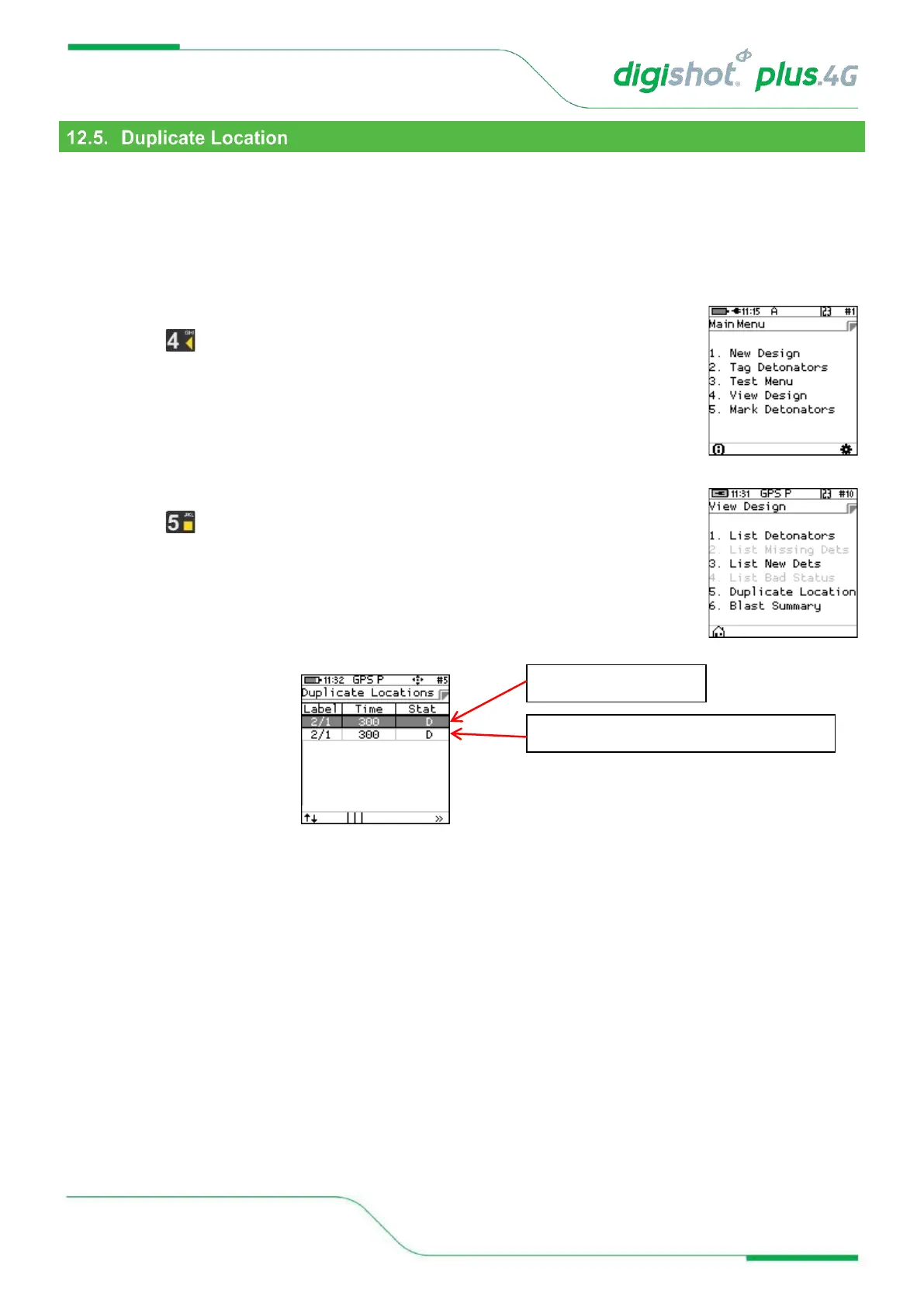
This screen will list the detonators that were found to be tagged with the same location.
The system does not rely on the location data to communicate with the dets and provided that the detonator has
been tagged with a delay, all detonators can be fired.
However, a duplicate location means that either the user has assigned the same location when tagging, or another
user with another CE4 Tagger has assigned this same location to a detonator. Note that this error is flagged when
the user attempts to assign the same location on the same Tagger.
1. Main Menu
• Press to select View Design
2. View Design Menu
• Press Key to select Duplicate Location
• The duplicated location will be displayed
3. List Duplicate Location
• The Duplicate Location
screen will be displayed



 To Next Page