UTM-00339 | Rev 19
Page 152 of 253
DetNet South Africa Copyright © 2021
1. Switch both the DigiShot
®
Plus 4G Commander and the CE4 Tagger ON
2. Press and hold key and then press the key to connect CE4 Tagger to DigiShot
®
Plus 4G Commander
via Wi-Fi
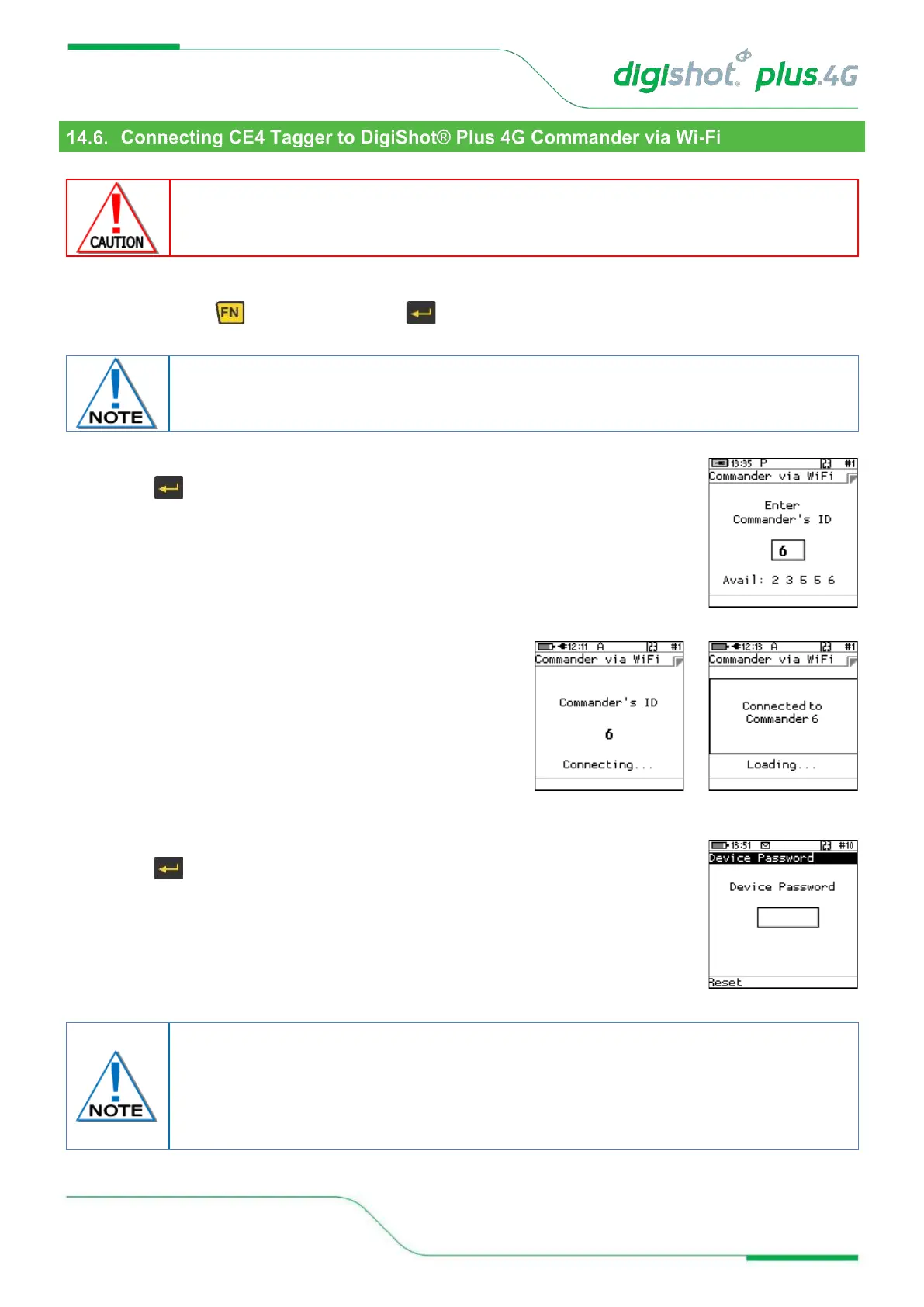
3. Enter the DigiShot
®
Plus 4G Commander ID
4. Press key to connect to DigiShot
®
Plus 4G Commander
5. CE4 Tagger will connect to Commander
6. Enter device password when prompted
7. Press key to continue
Device password will be required only during first connection to the DigiShot
®
Plus 4G
Commander. The default password may be changed by the user and can be configured
from the “Settings” menu. The user may reset the password with a ticket retrieved from
DetNet Portal, should the password be previously set and the user does not recall the
password.



 To Next Page